
Maximize Your Reach With “Find an Estie”
for elevated estheticians onlyReady to learn more about how Pomp’s “Find an Esthetician” works? Let’s dive in.
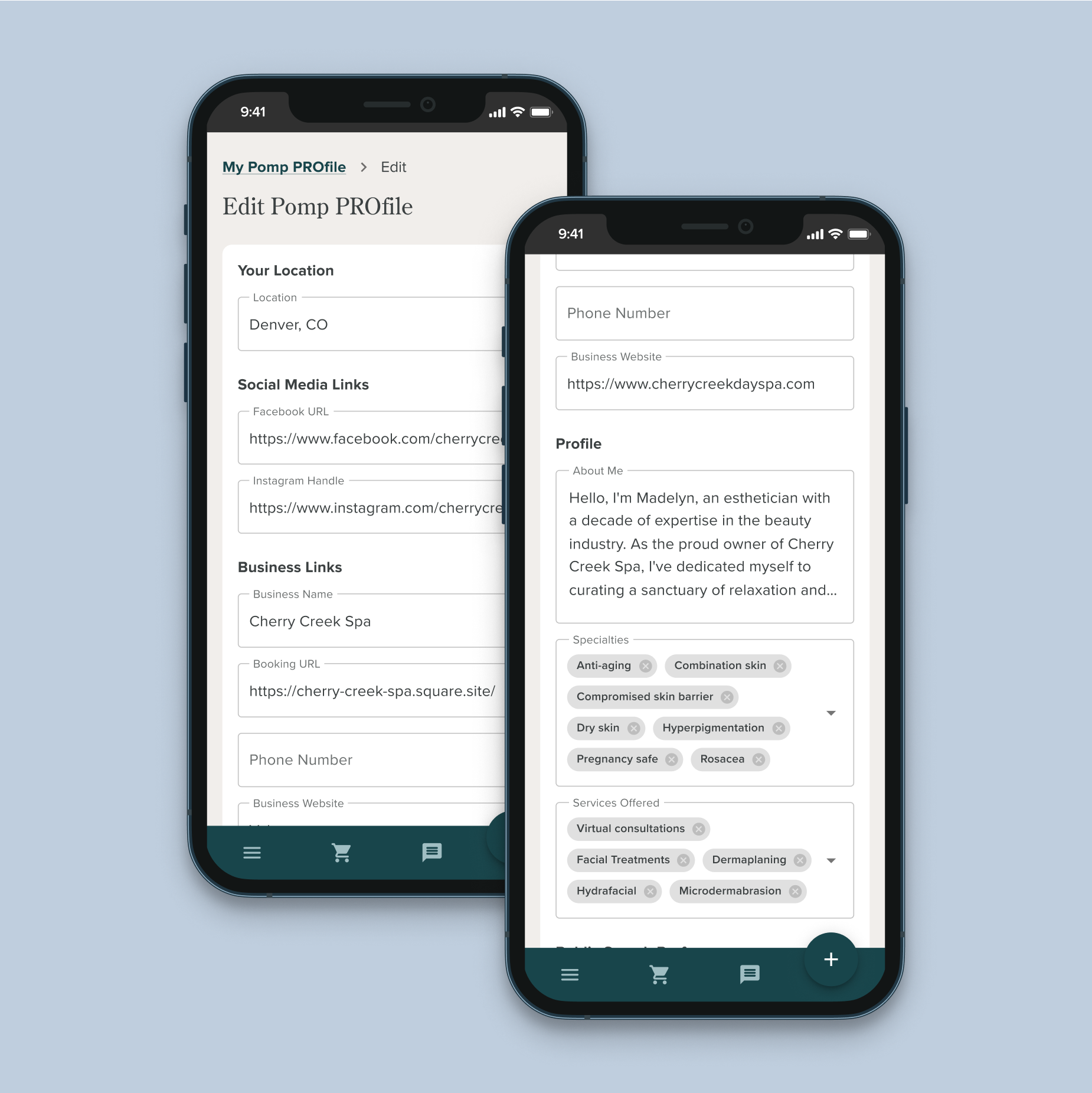
📝 Fill Out Your PROfile
When clients are looking at the esthetician search results, they can review your About Me, Specialties, and Services Offered. Make sure these fields are filled out as much as possible so you can catch that prospective clients’ eye! You can update your PROfile here.
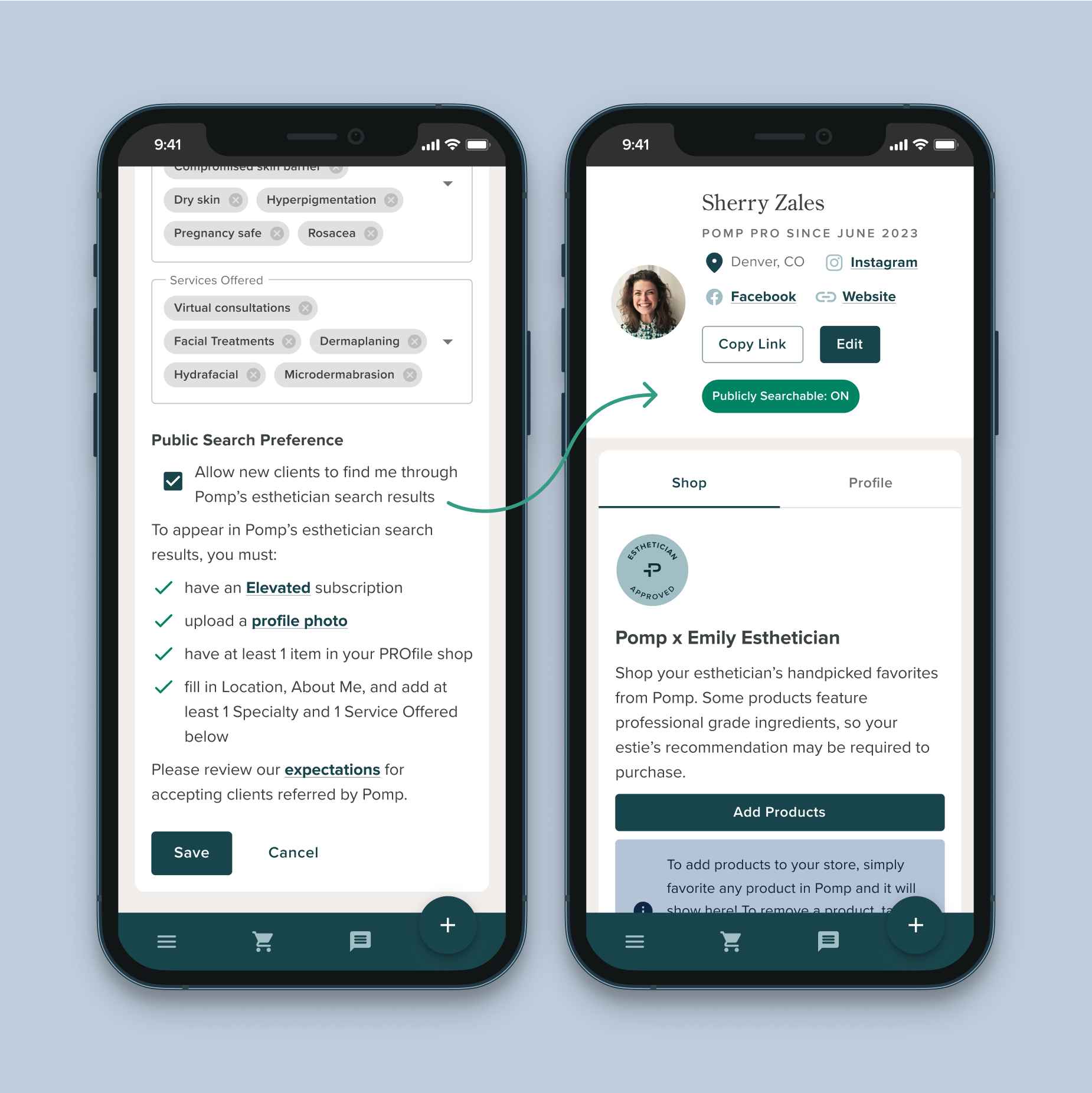
✅ Opt In to Being Publicly Searchable
Once you’ve met all the requirements, make sure that box is checked! You can also see your public search status on your PROfile.
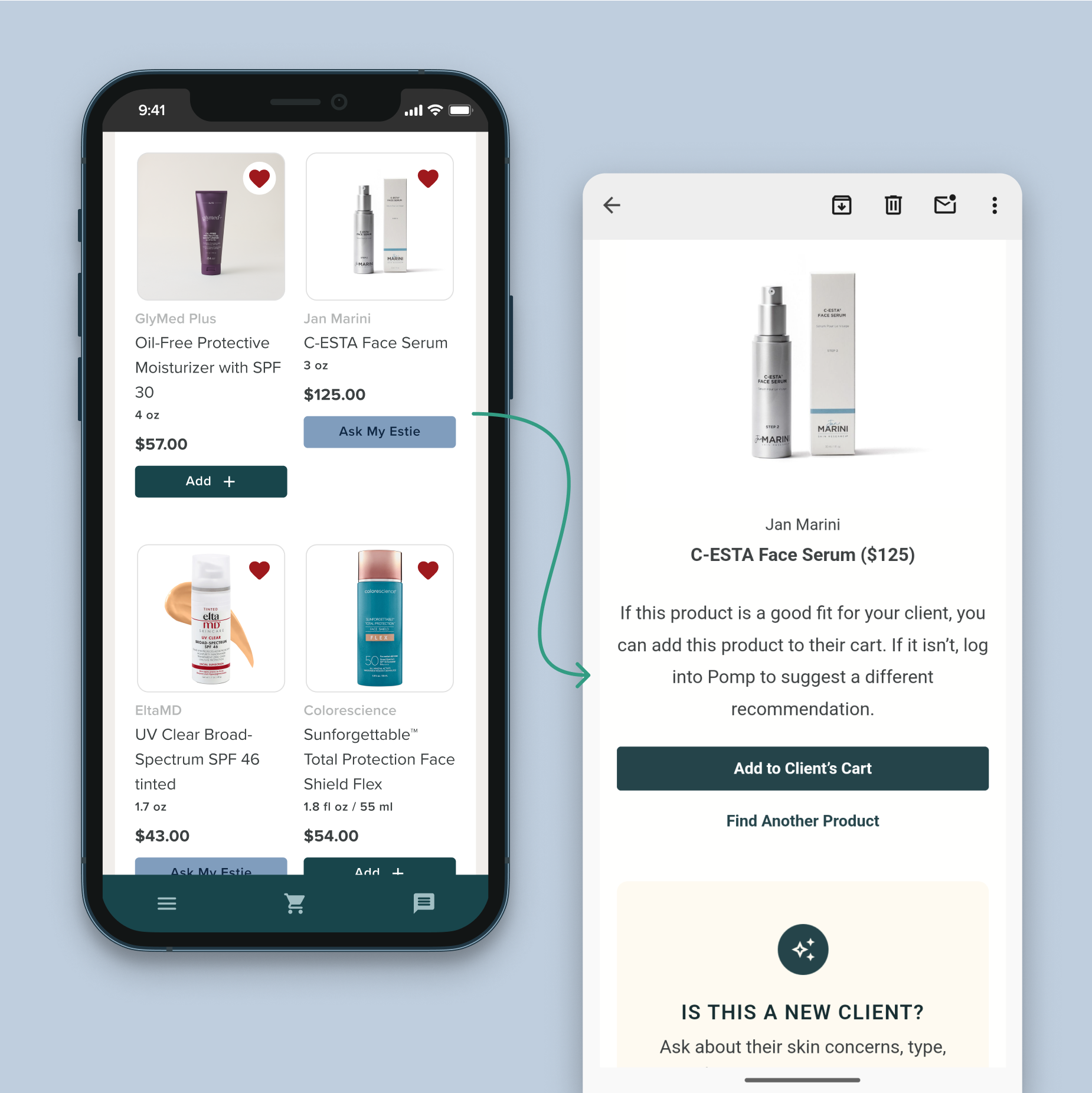
❤️ Curate Your Favorite Products
Clients can shop your favorite products right in your PROfile and anything that is already available in the Enhancement Store can be purchased right away.
They can also tap “Ask My Estie” if they’re interested in a product, which will send you an email to approve the product or let you find a different option for that client.
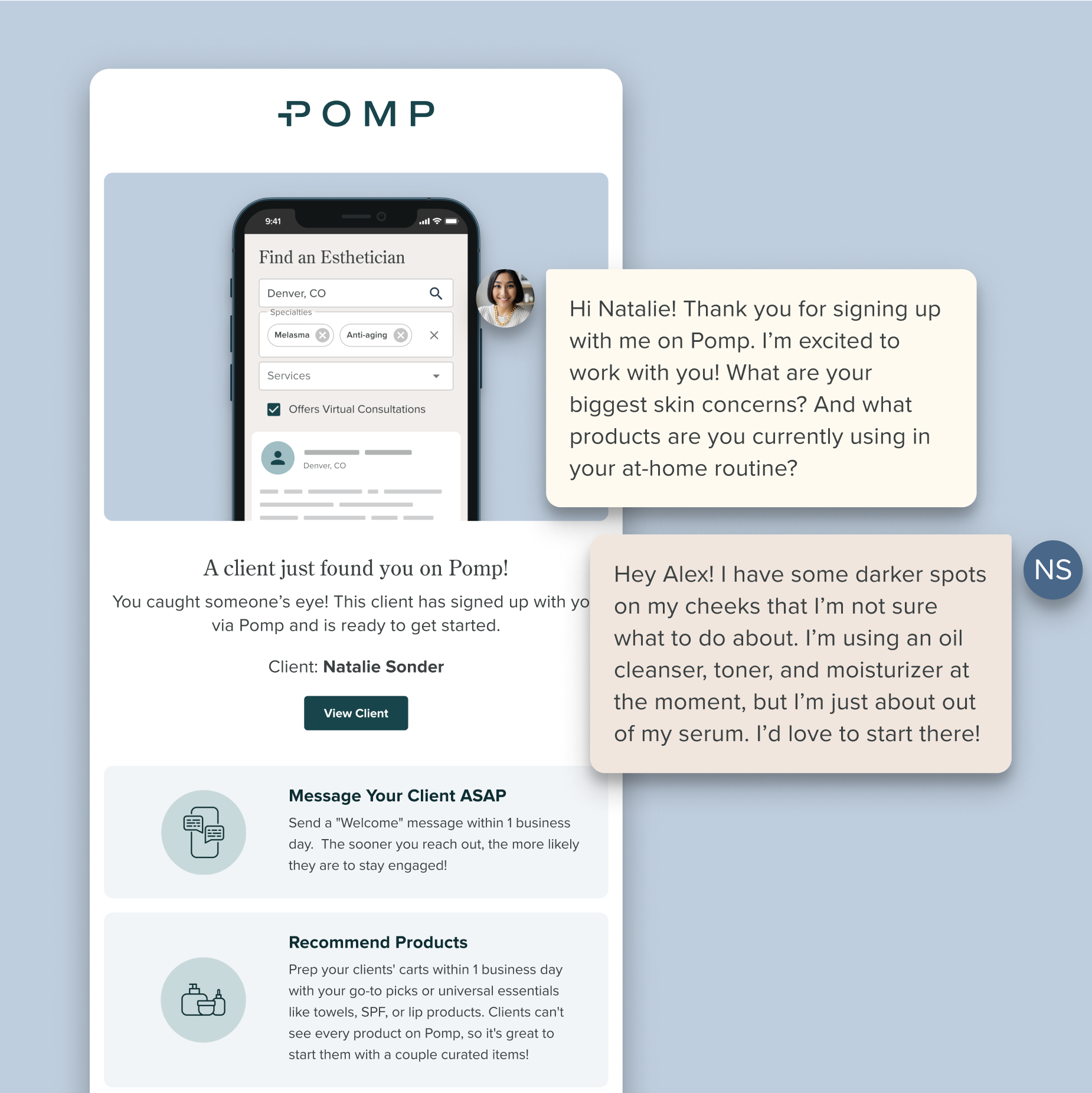
📨 Watch Your Inbox For New Clients
When a new client finds you on Pomp, you’ll receive an email notification that looks like this:
Be sure to prioritize reaching out and adding products within 1 business day! 70% of all clients that purchase on Pomp make their first order within 1 week of signing up, so reaching out soon can mean more money in your pocket.
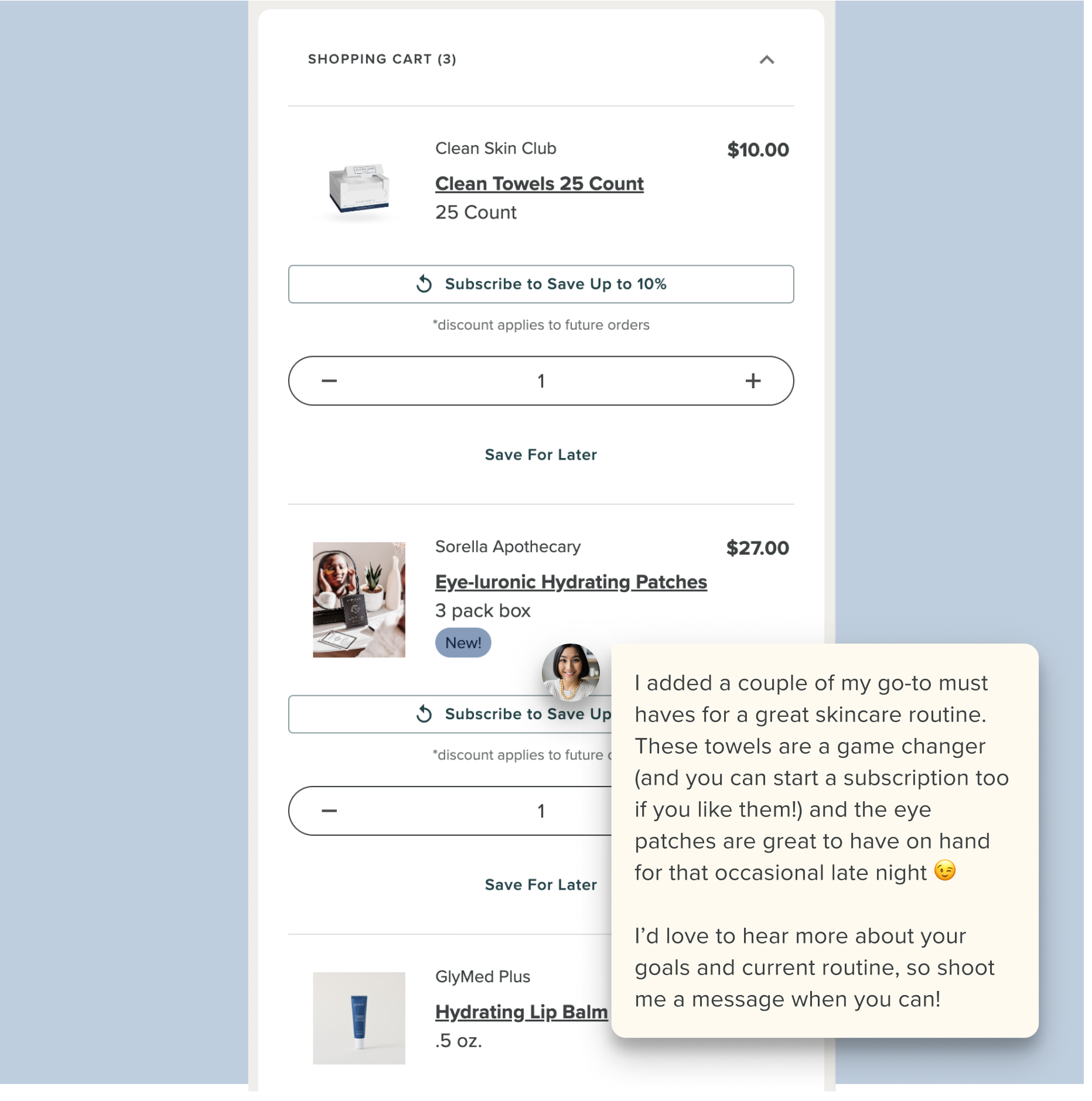
🛒 Recommend Products
Remember: clients have a limited shopping experience on Pomp and rely on YOU for curated product recommendations. If you are unsure about a client’s skin type or needs, start with your go-to products that are safe for all skin types, like wipes, SPF, or lip products.