
Save Time By Duplicating Routines
For elevated & Elite estheticians onlyEvery esthetician has their favorite routines to recommend to clients. Whether it's a standard pre- or post-treatment routine or tailored for specific skin types, creating a new routine on Pomp for each client takes time.
💡 why routines? Clients with routines are 4x more likely to purchase product, with a 15% higher average order value.
Plus, you’ll be giving your client the exact steps and products they need to follow to see results!
Now, with just a few clicks, you can easily replicate a routine for another client! Here’s how:
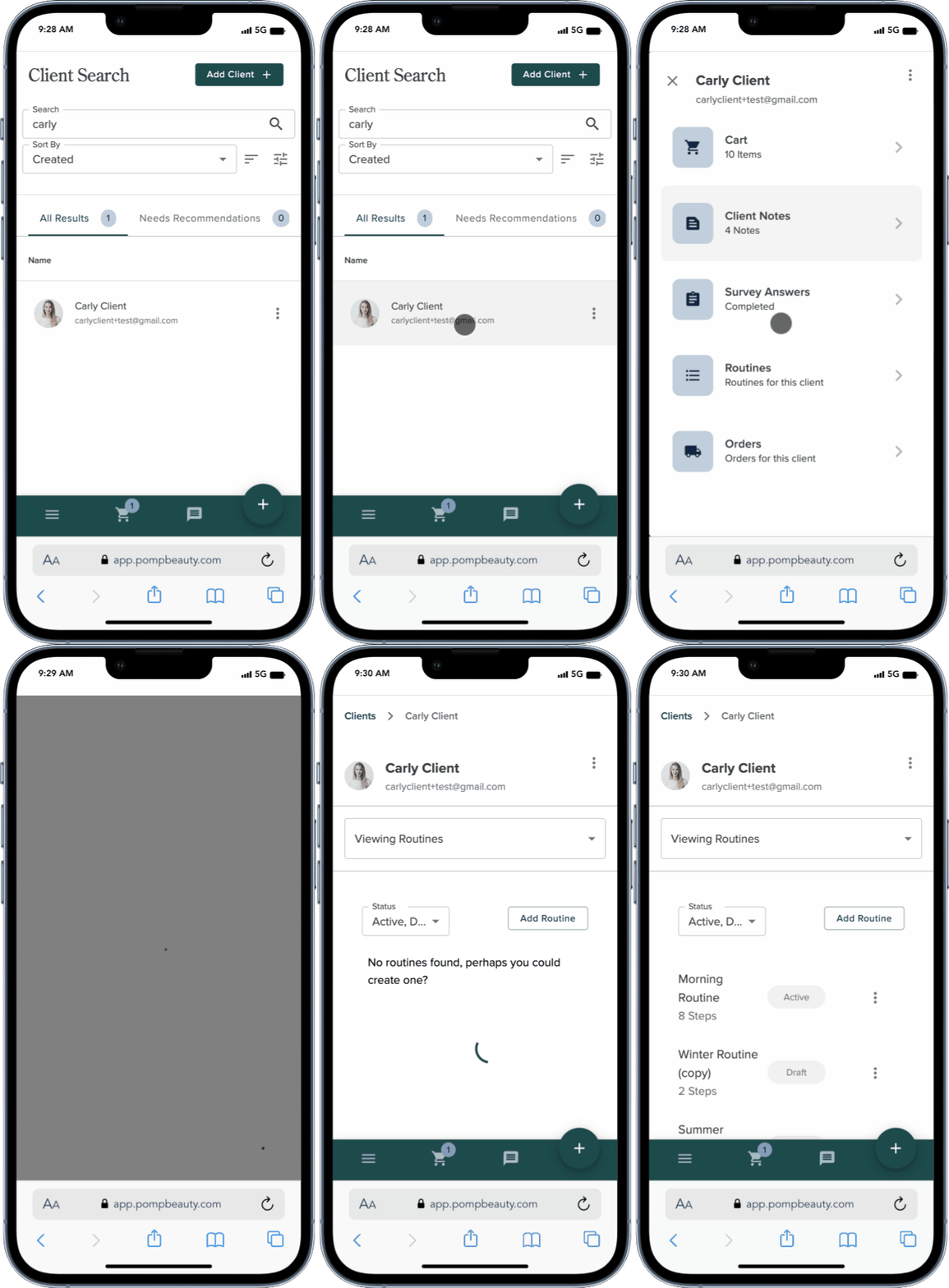
Go to the client whose routine you want to duplicate.
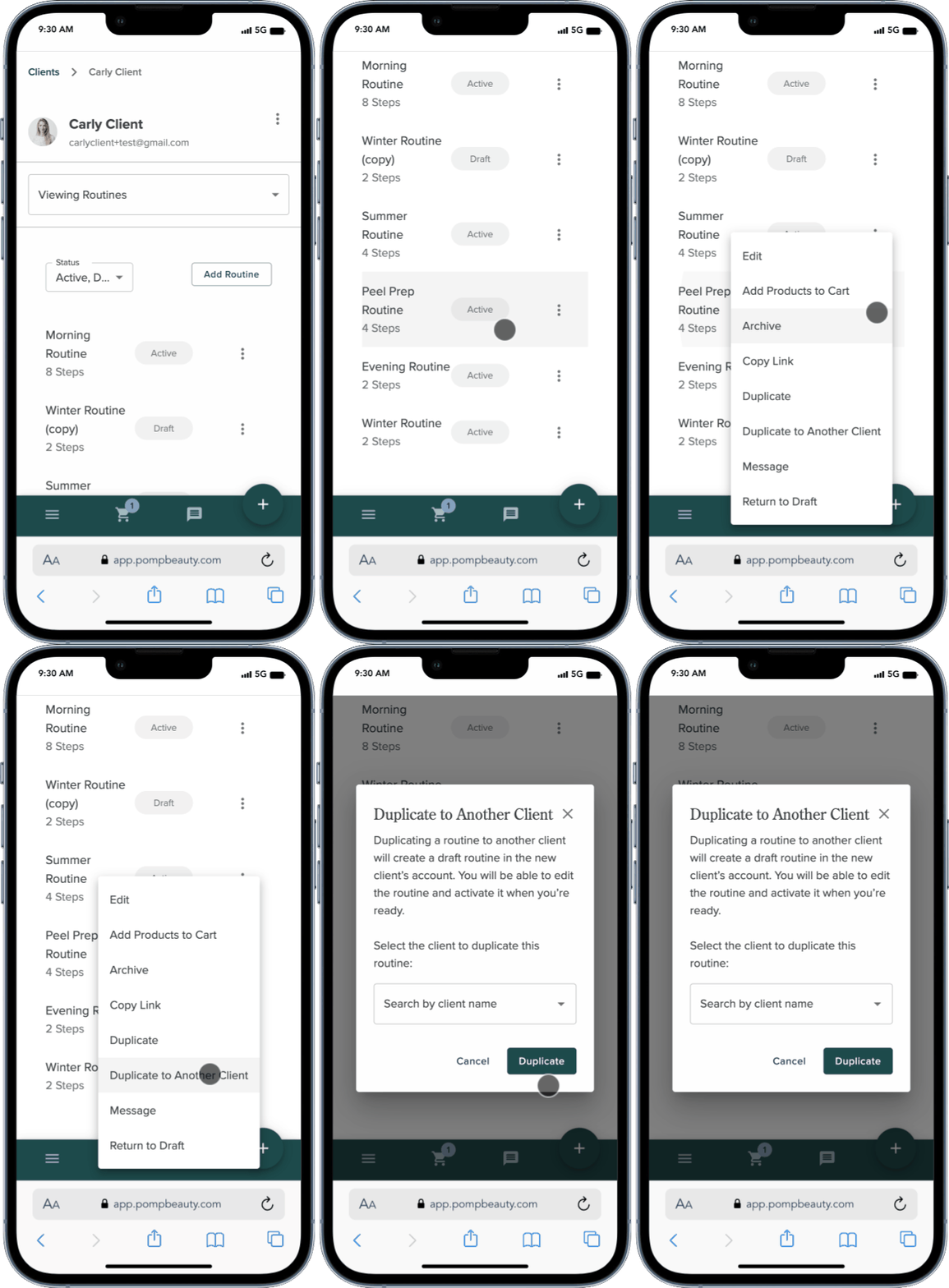
Tap the 3-dot menu and select “Duplicate to Another Client”
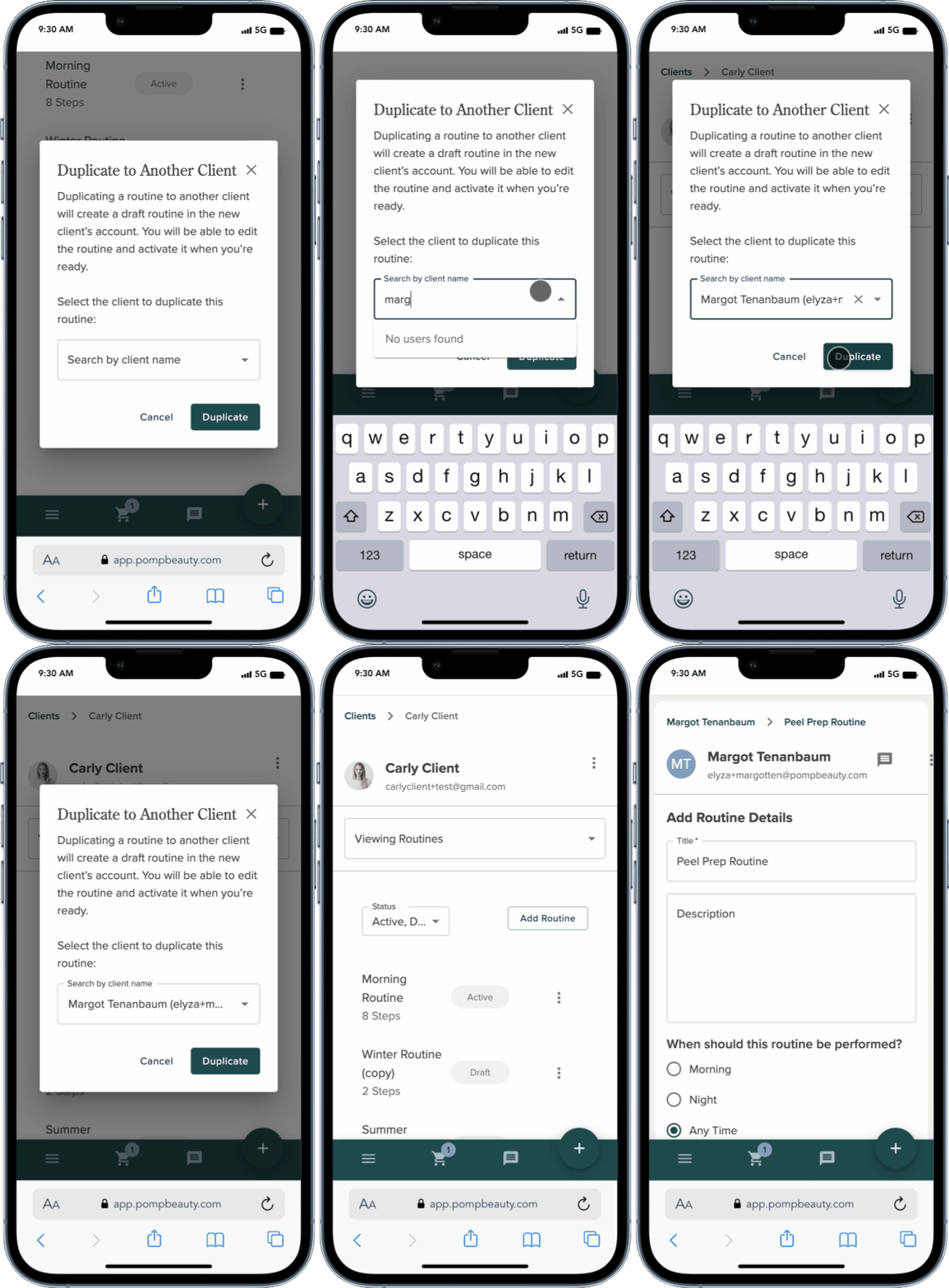
Search for the client you want to add this routine to, using their name or email address.
Select the client and tap “Duplicate”
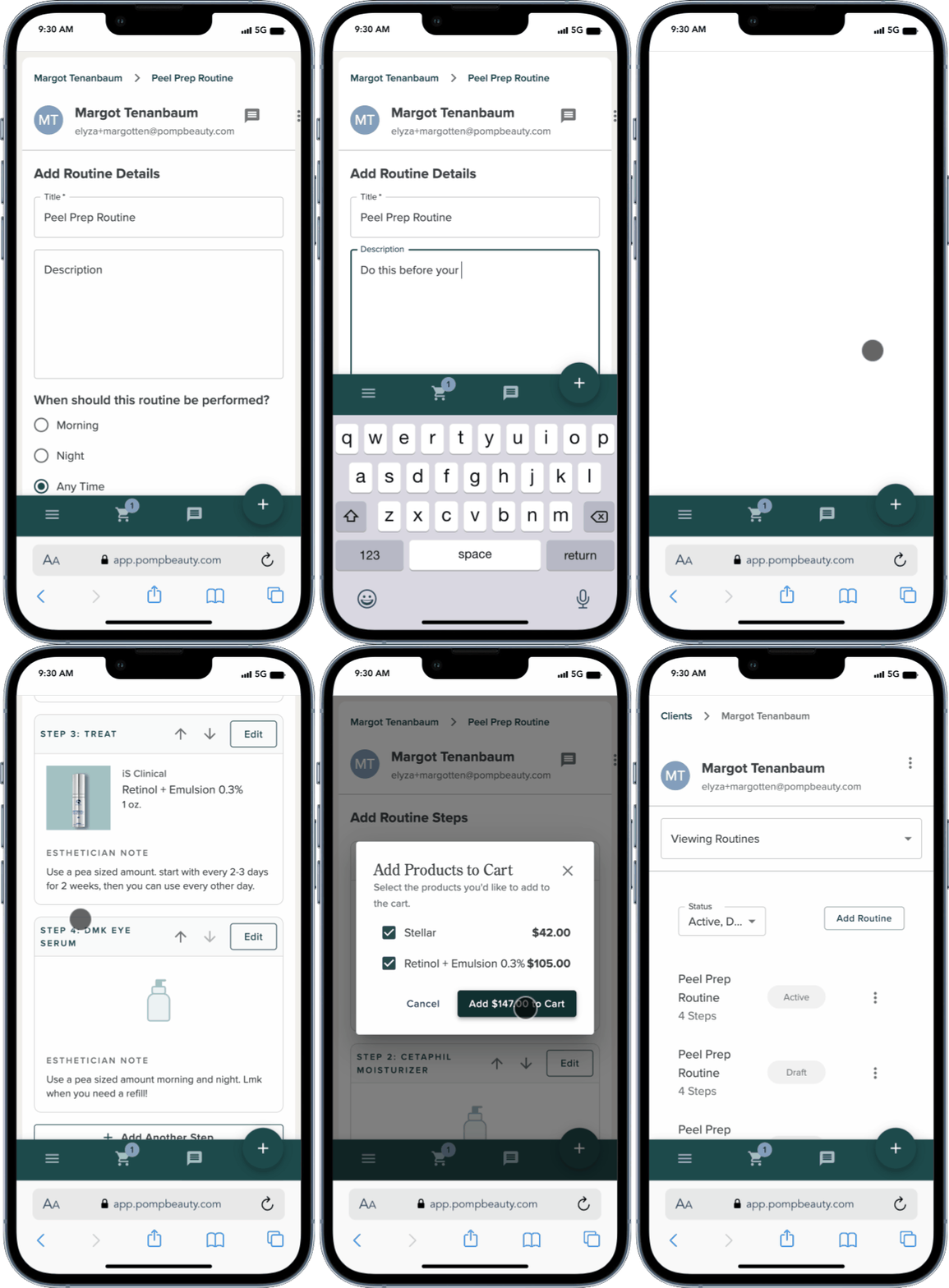
You’ll now see the new routine in Draft mode on the new client’s account.
You can update the title, description, or any of the routine steps as needed. When you’re ready to publish, tap Activate Routine!