
Fill Client Carts With “Add To All Carts”
Save time and add one or more products to every client in your Pomp list by utilizing our new “Add To All Carts” request form!
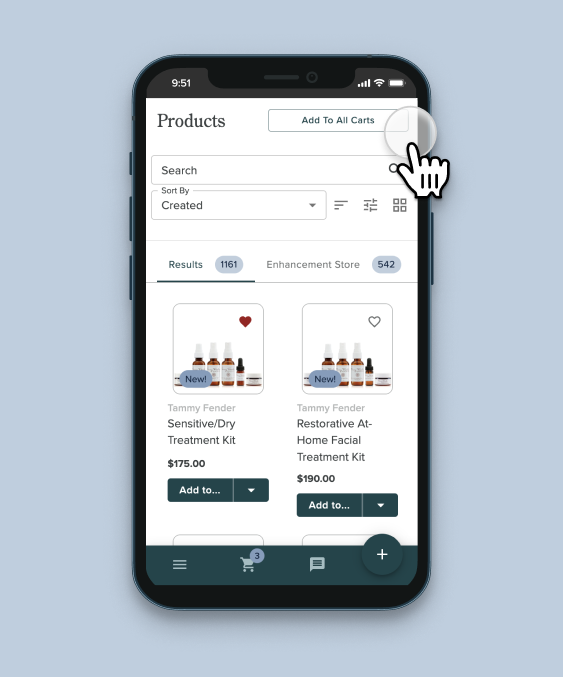
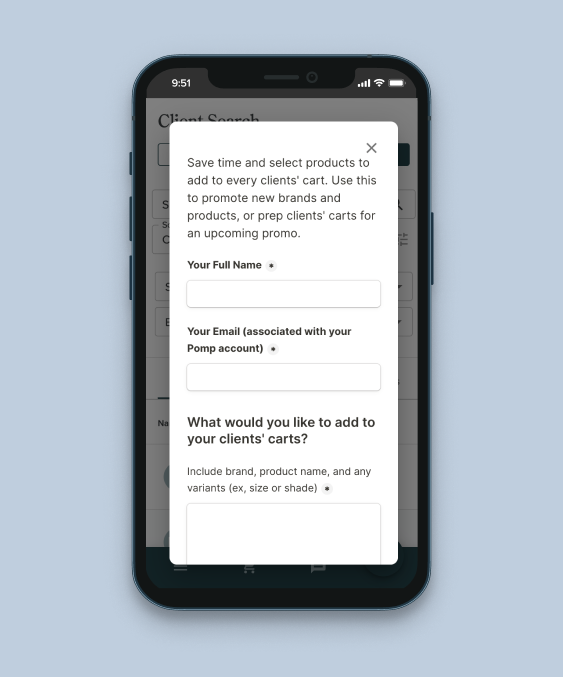
Simply tap “Add To All Carts” from your Client List or Product Search and submit the product(s) you’d like added to your clients’ carts. We also provide the option to have us send a custom message to your clients via your Pomp messaging.
✨ POMP CASE STUDYOne Pomp esthetician tested this new feature and added her go-to products to all 150 of her clients carts right before a sale. After messaging each client with a little info about her recommendations, she saw 19 unique clients make a purchase within 1 week! On average, her clients purchased 3 products, with an average order value of $230.
How else can you use this feature?
☀️ Prep clients for seasonal changes: do you have a new SPF you’d like to promote? A hydrator you’ve been loving over the winter season? Showcase that product by adding it to every clients’ cart!
🎉 Highlight new products or brands: with Pomp, you have access to education from 30 brands! Whenever you add a new brand to your toolbox, a great way to flex your new knowledge is recommending your favorite product from their line.
🍎 Recommend skincare basics to clients you bulk imported: so you’ve uploaded all of your clients to Pomp… now what?! Instead of going through each client one-by-one, use this new tool to get each clients’ cart started with a couple universal essentials.
What are you going to add to your clients carts? Try this feature out today!