
Improved Product Share Links
You can now share public links to any product in the Pomp Store! This includes products that may require an esthetician’s recommendation and any product that a client can shop directly.
Note: Face Reality and iS Clinical products are not available to the general public in the Pomp Store.
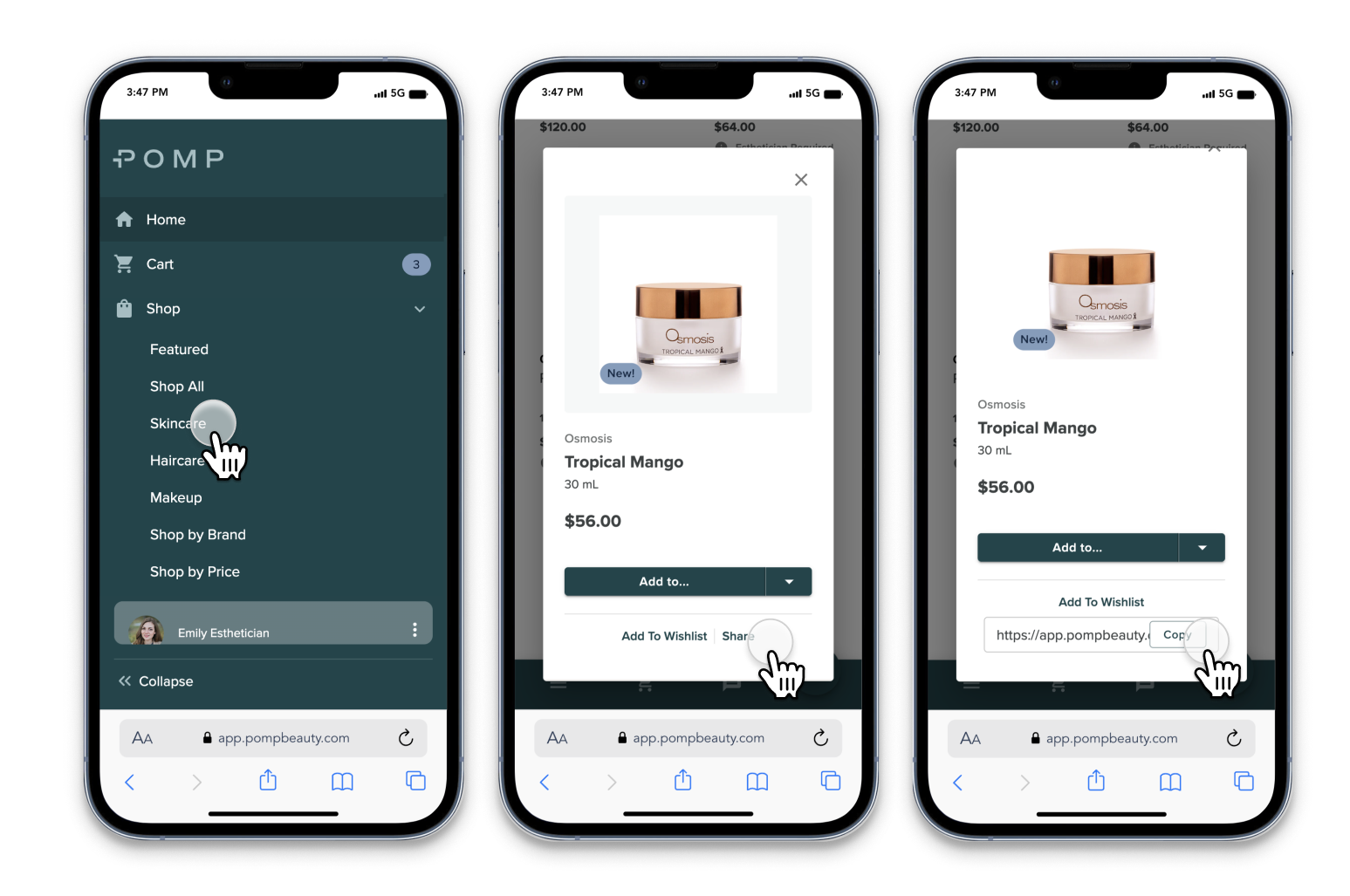
Here’s how:
Go to Shop and find the product you’d like to share
Open the product detail view by tapping on the product
Tap “Share” and copy the link
What do your clients see?
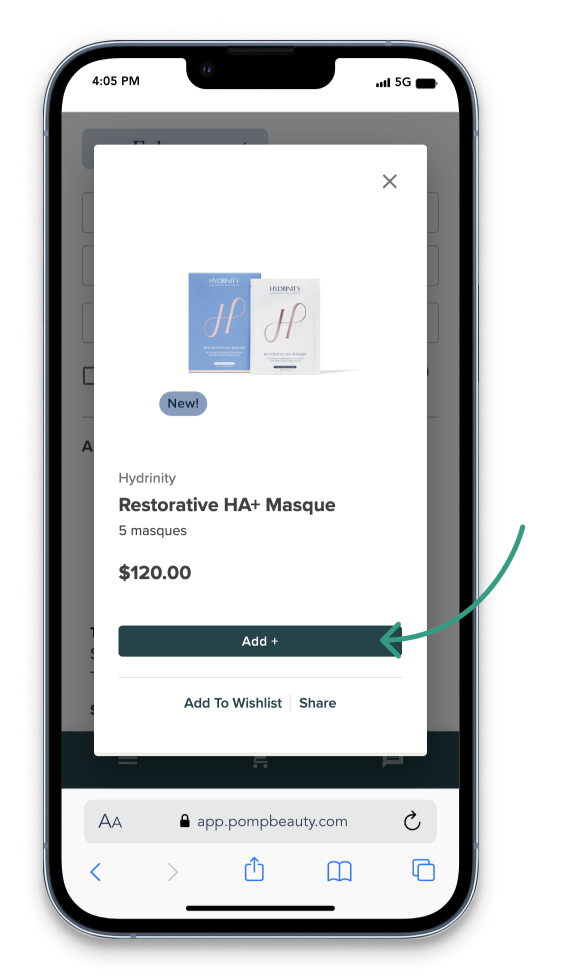
IF THE PRODUCT CAN BE SHOPPED DIRECTLY…
Clients that are assigned to you and logged into Pomp will see “Add To Cart”
Clients who do not have a Pomp account will see “Add To Cart” and will be prompted to create an account in order to check out
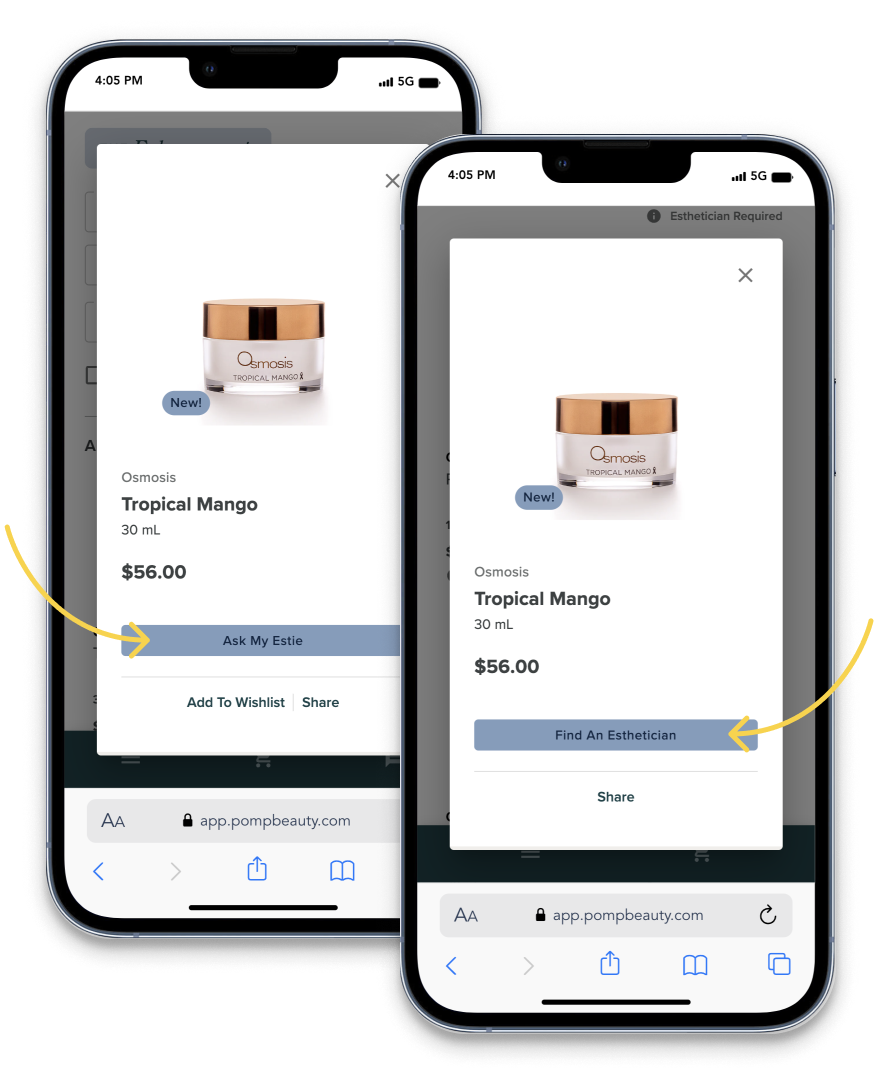
IF THE PRODUCT REQUIRES AN ESTIES’S RECOMMENDATION…
Clients that are assigned to you and logged into Pomp will see “Ask My Estie” — tapping this button will send a notification to you so you can review and determine if the product is right for them.
Clients who do not have a Pomp account will see “Find An Esthetician” and will be prompted to select an estie to help them determine if the product is right for them.