
Save Time With Routine Templates
FOR ELEVATED & ELITE ESTHETICIANS ONLYYou’ve asked for it and now it’s here: Routine Templates! Templates allow you to create your personal bank of go-to routines that you can quickly add to any client’s account. Here’s how:
Create Your Templates
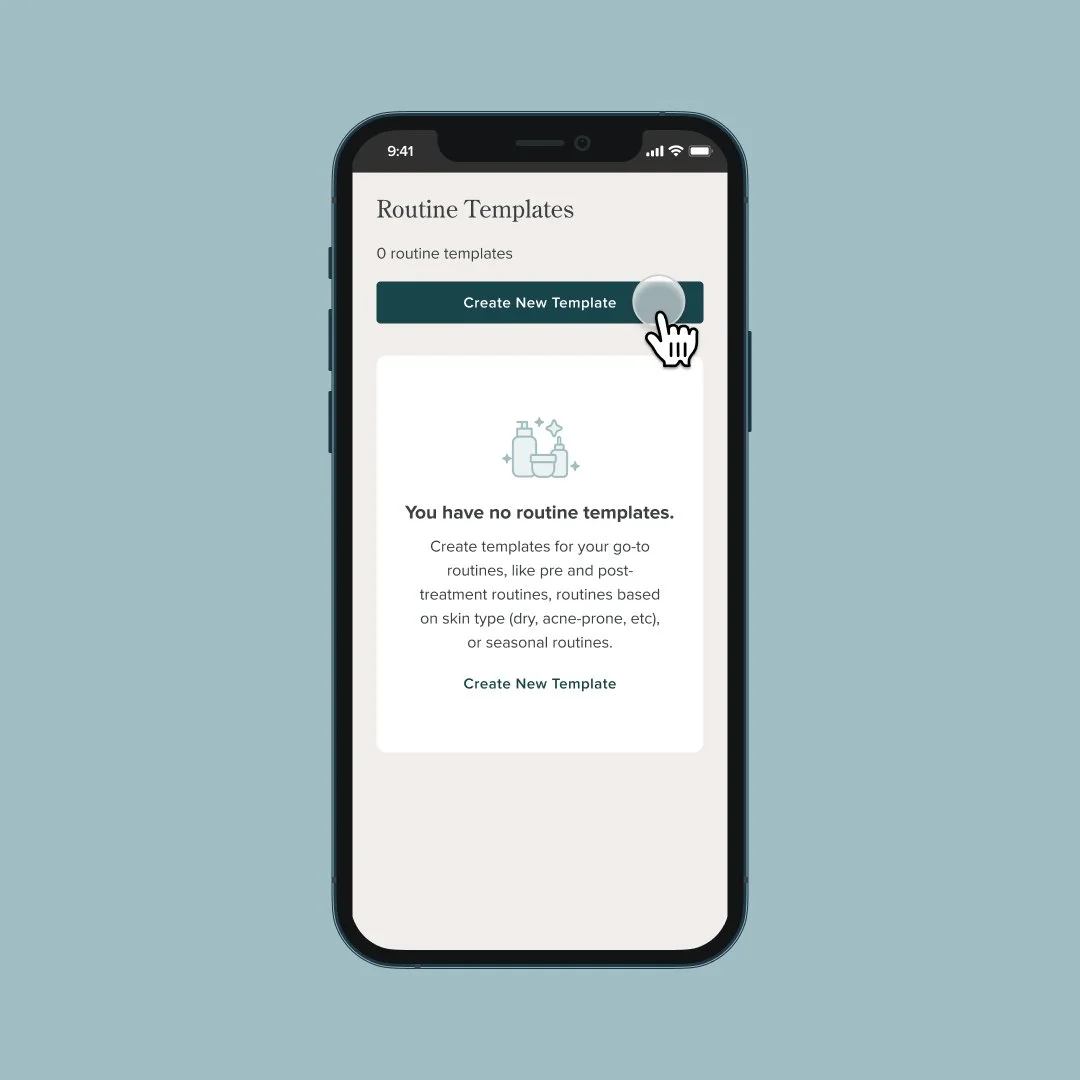
Navigate to Routine Templates and tap “Create New Template”
You’ll add a title, description, and any product recommendations you want to include in this template.
Use Your Templates
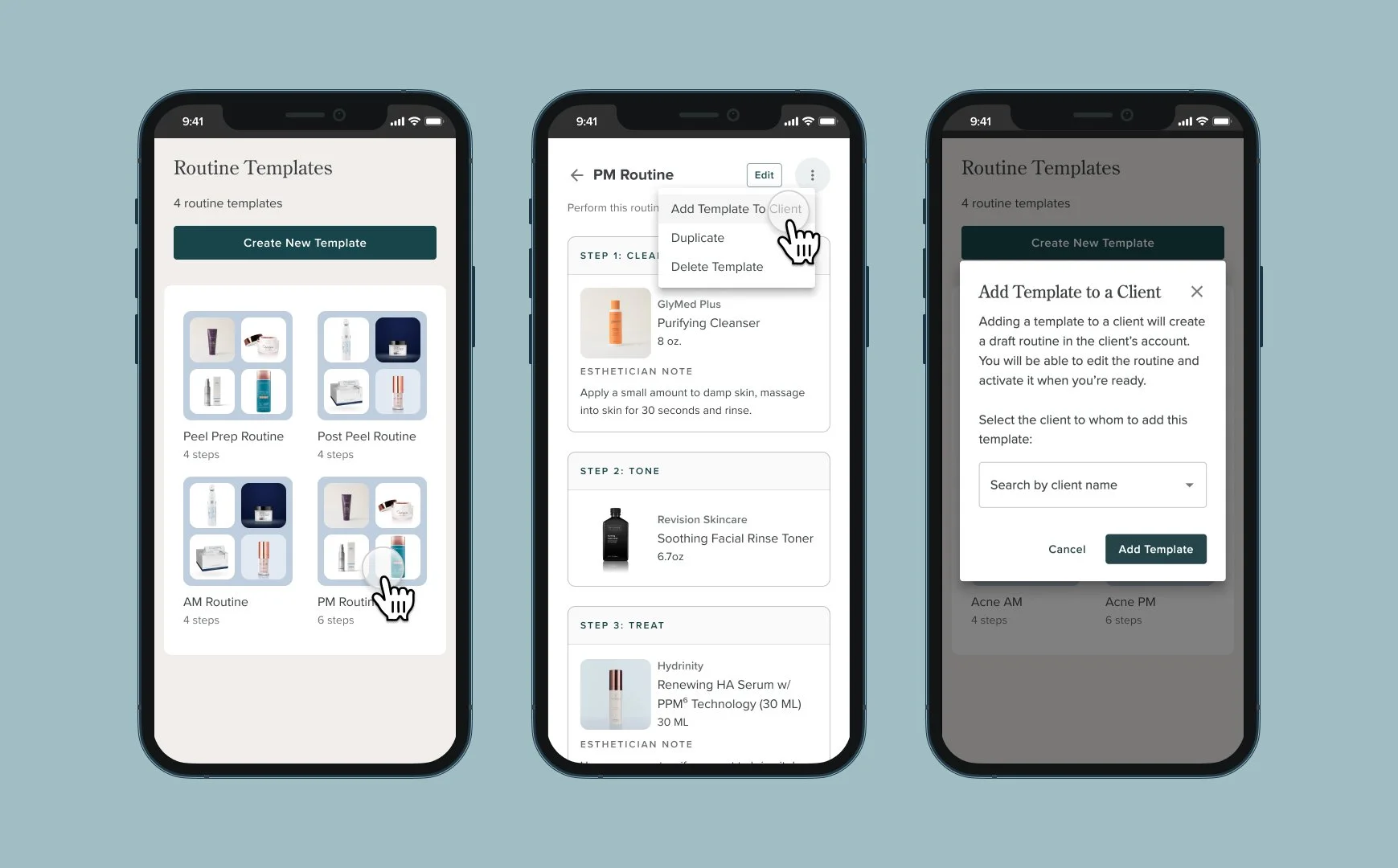
Once you have created your template, tap the template to preview the routine.
Tap the 3-dot menu on the routine and select “Add Template To Client”
Search for your client’s name and click “Add Template.” This will create a draft routine for that client so that you can review and make edits if needed, before activating.
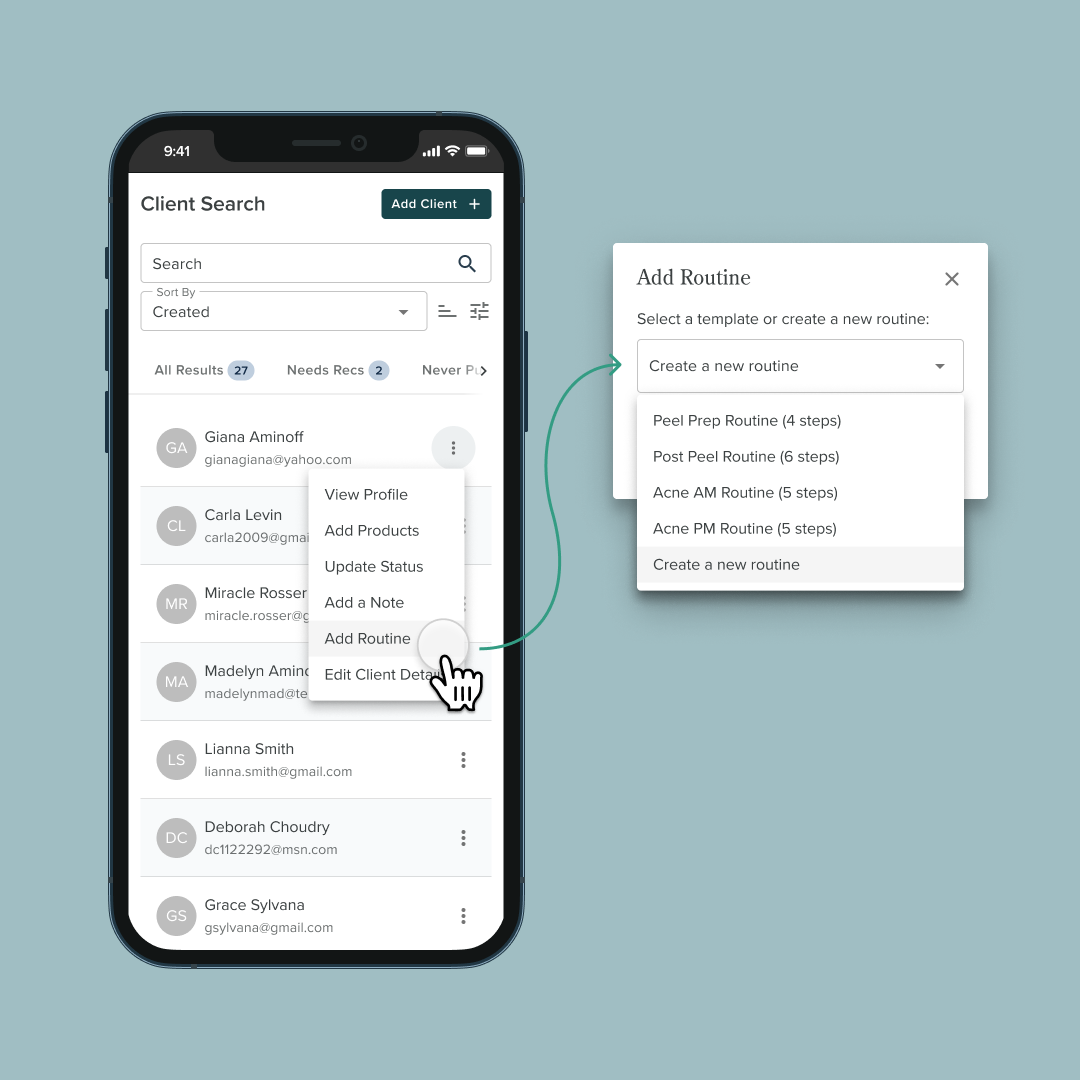
You can also add a routine template directly from your Client List.
Head to your Client Search and find the client you want to add your routine template to.
Tap the 3-dot menu and select “Add Routine” then select the template you want to add.
💡 HOW will you use routine templates?We know every esthetician has their go-to routines. Some ideas for your first few templates:
Pre and post-treatment routines
Routines based on skin type (dry, acne-prone, etc)
Seasonal routines