

Release Notes
Keep up with the latest on new features on Pomp!
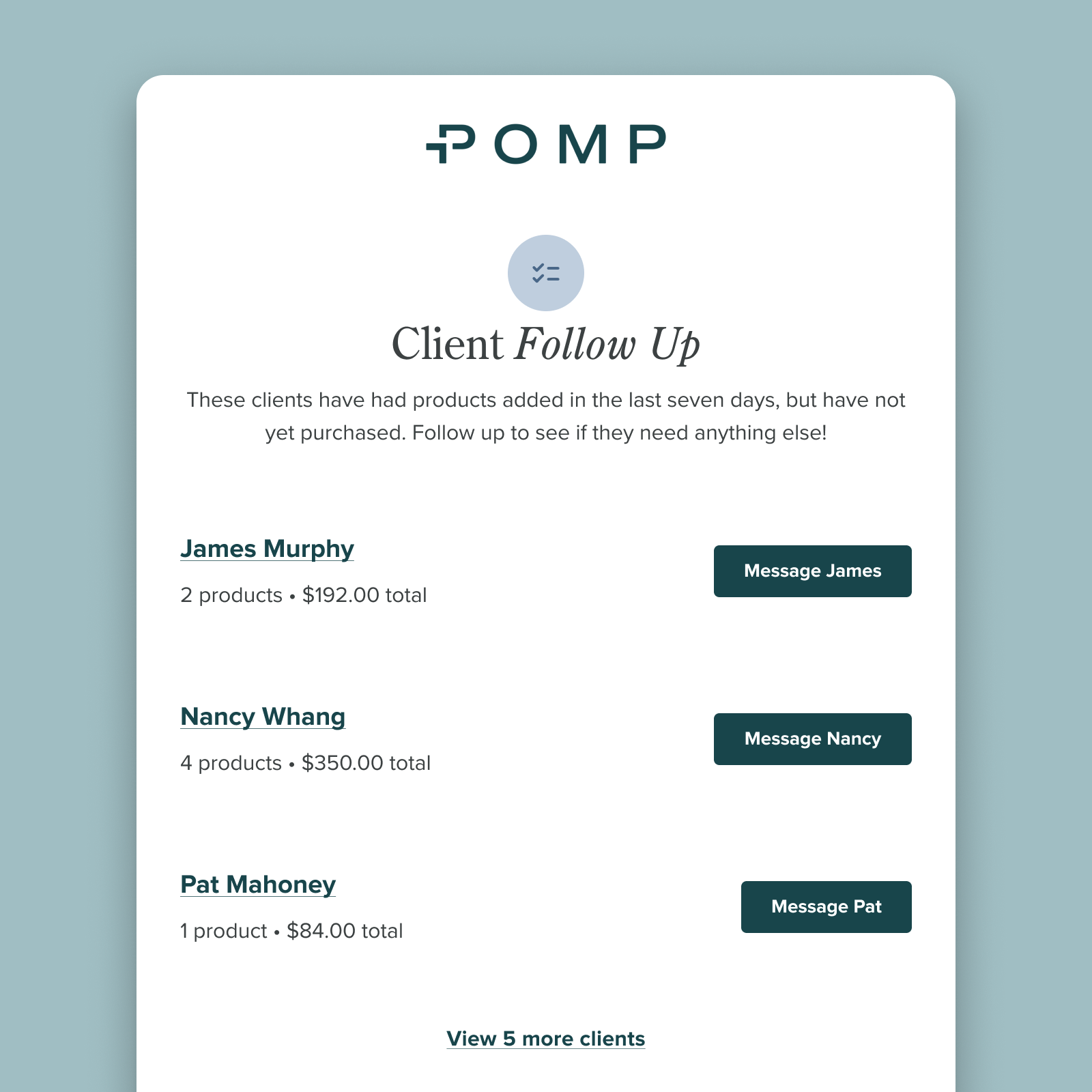
Close Sales With Client Follow Up Reminders
Life gets busy — let Pomp keep track of your follow ups. Set up your weekly reminder to check in with clients who had items added to their cart recently, but have not yet purchased.
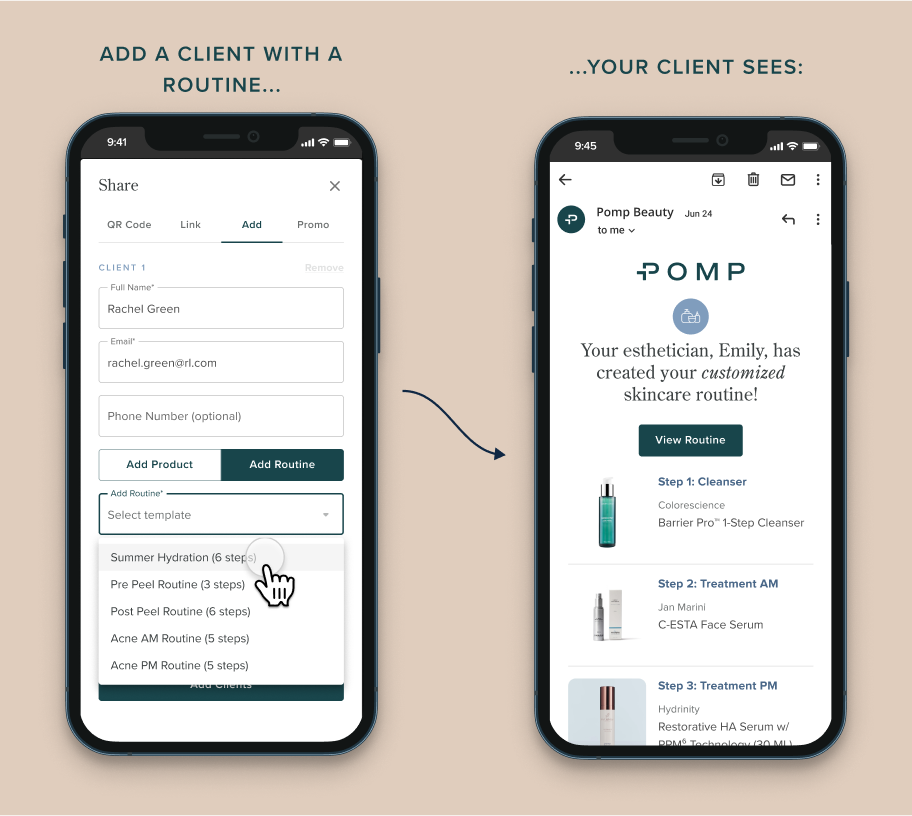
Include a Routine When Adding New Clients
Save time by including a routine template when you’re adding new clients to Pomp!
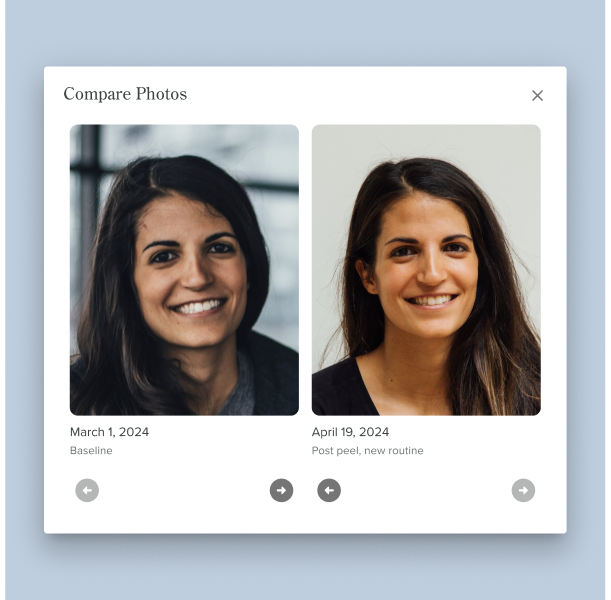
Track your client’s skincare journey with progress photos
Progress photos! This new tool will help you and your clients track their skincare journey over time.
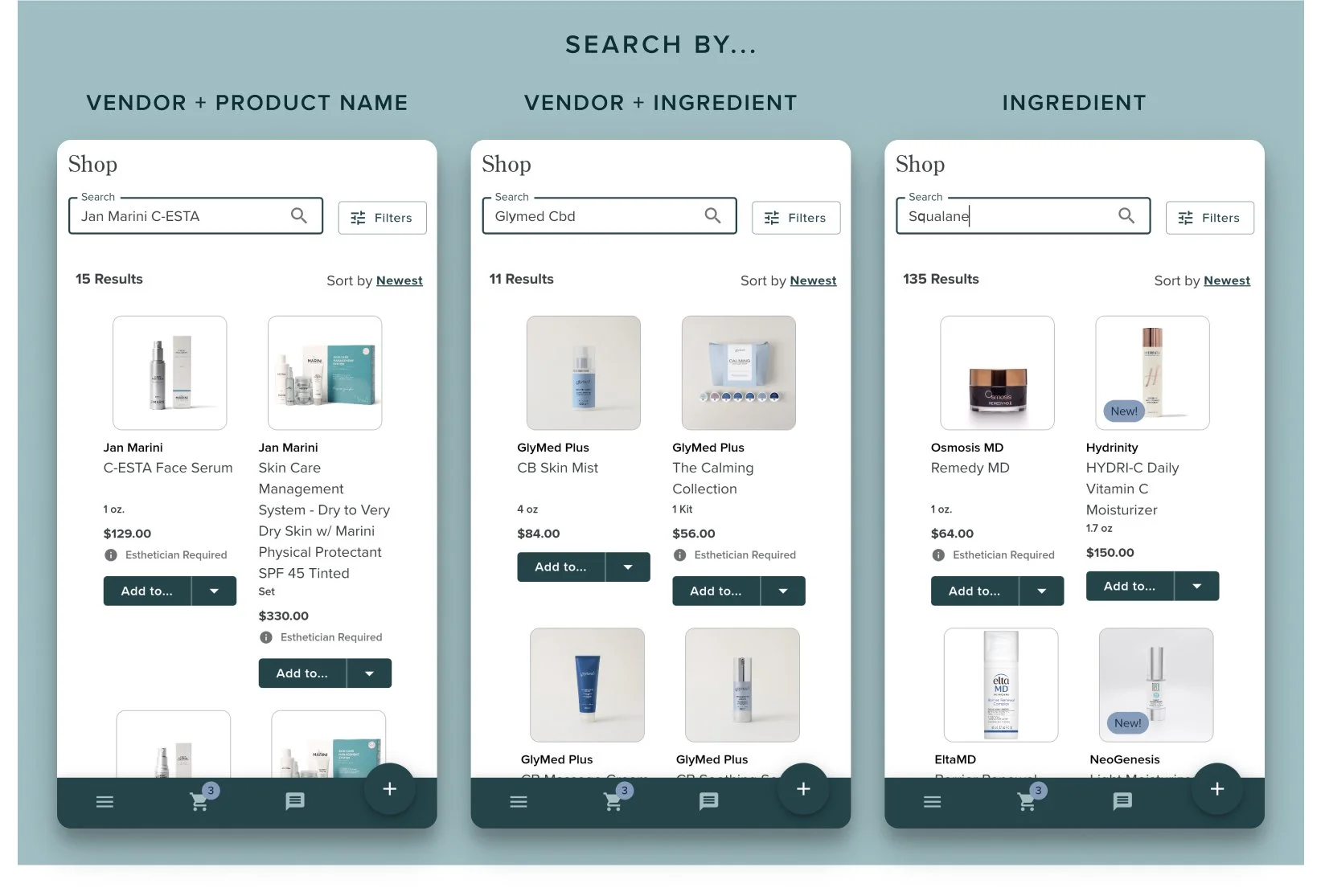
Find products faster with improved search
We’ve made our product and shop search more flexible so you can find the products you need quicker!
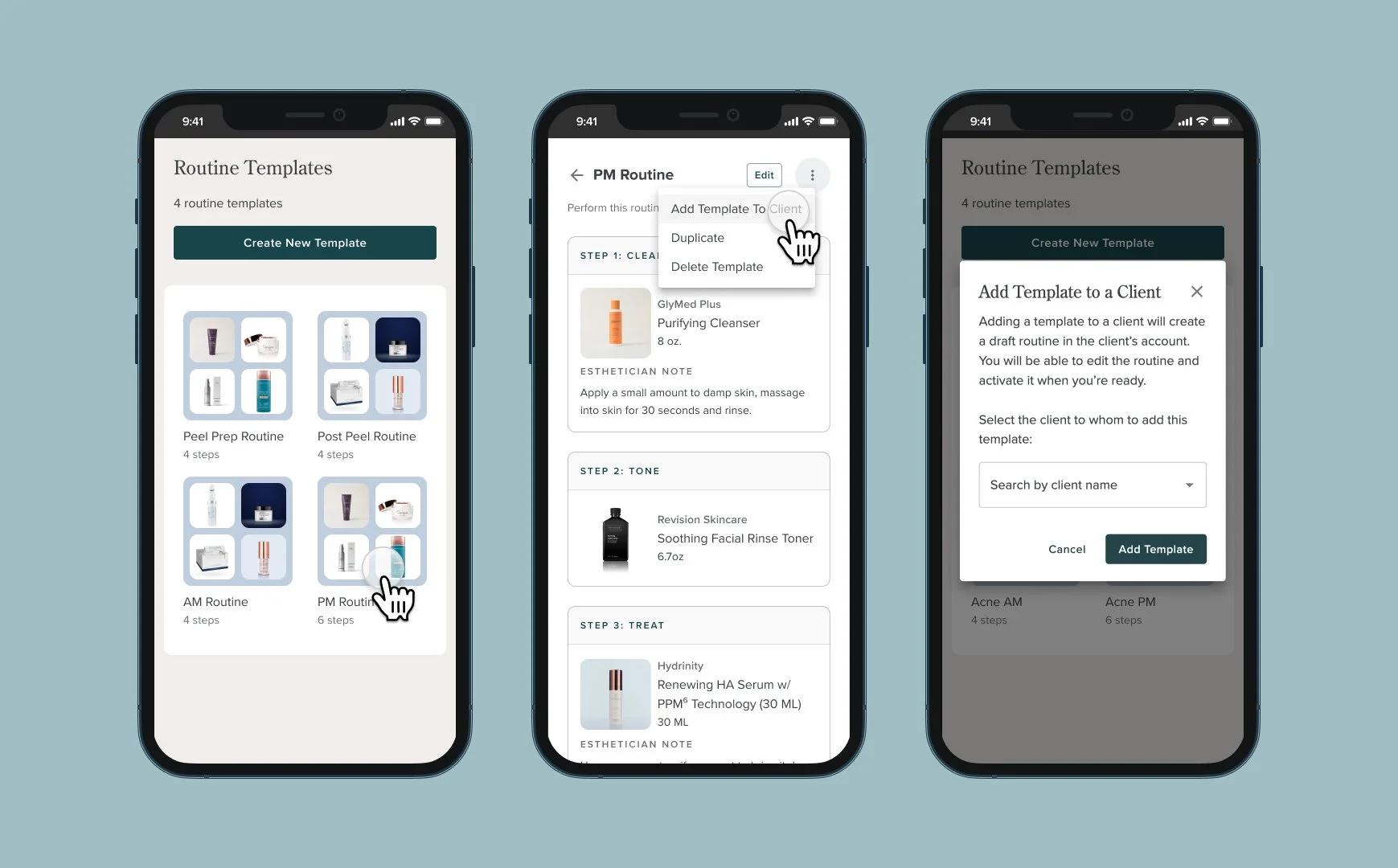
Save Time With Routine Templates
We heard your feedback — and routine templates are here! Elevated and Elite estheticians can now save their go-to routines and save time when recommending routines to clients.
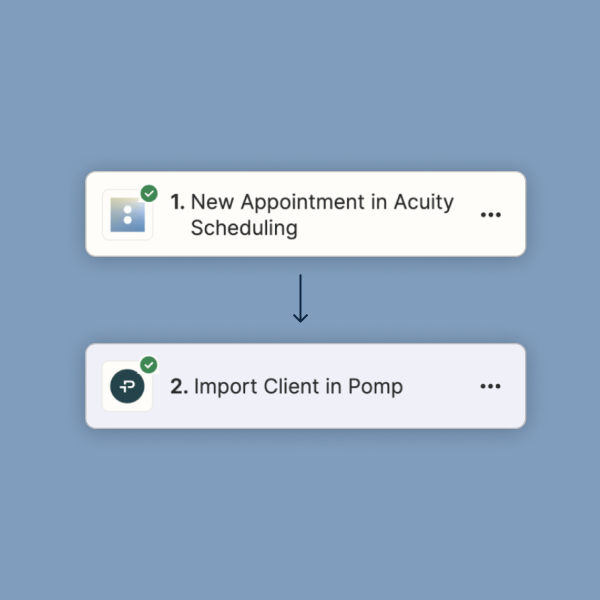
Create a custom Zapier automation to import new clients
Use our step-by-step guide to create your own Zapier automations from scratch to import clients into Pomp.
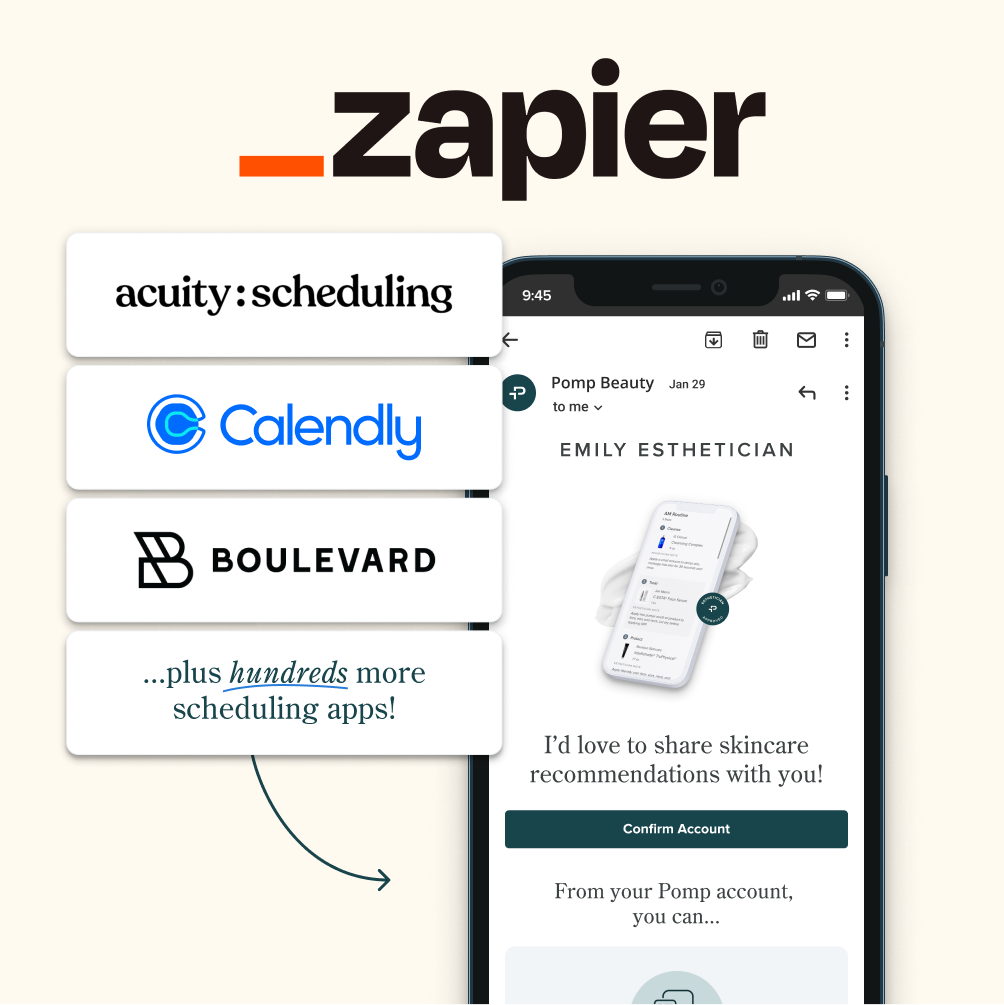
Import clients from your booking tool with Zapier
If you use Acuity, Boulevard, Calendly, or any of the other 200+ scheduling tools Zapier connects to, you can now automatically import new clients to Pomp.
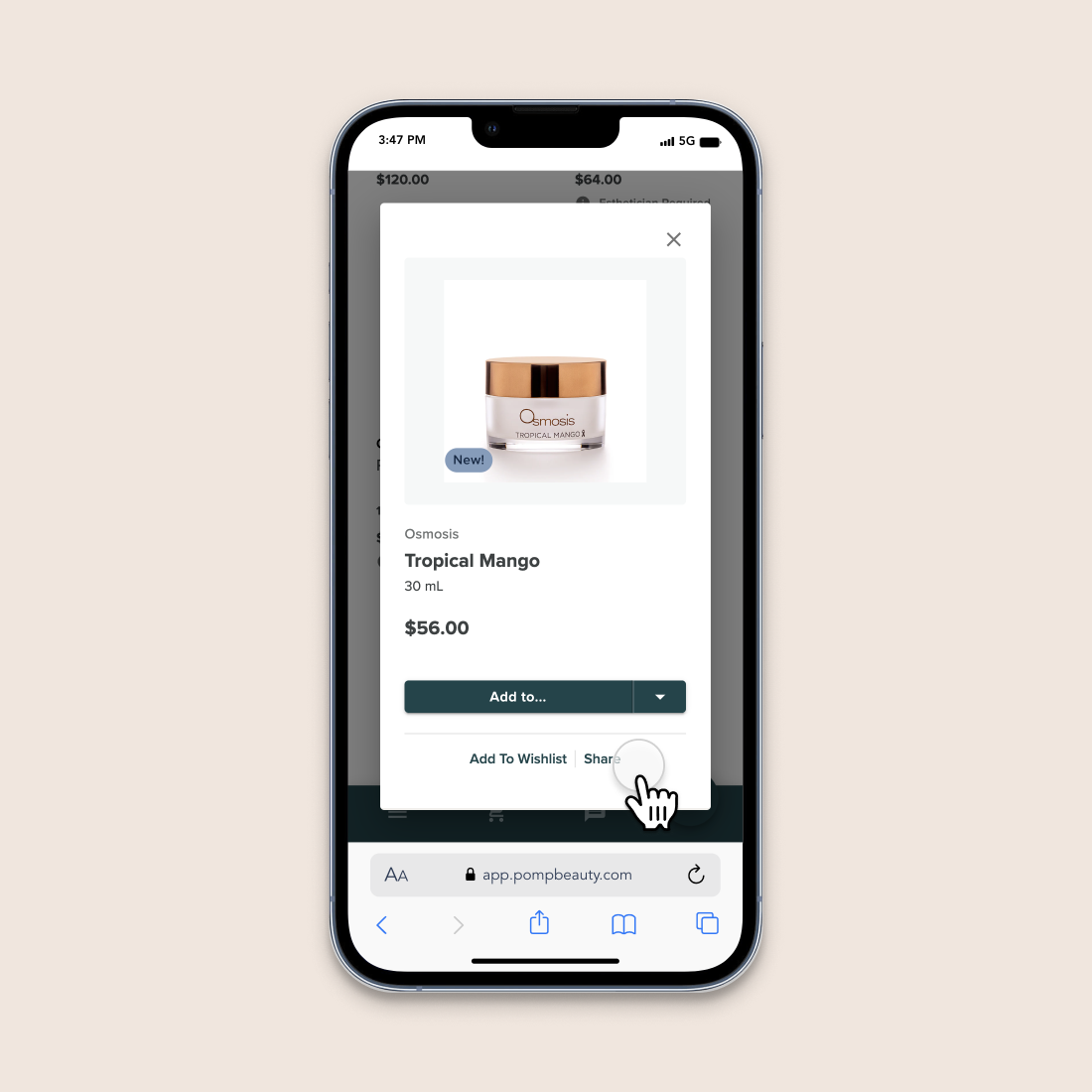
Improved Product Share Links
You can now share links to more products in Pomp — including products that require an esthetician’s recommendation.
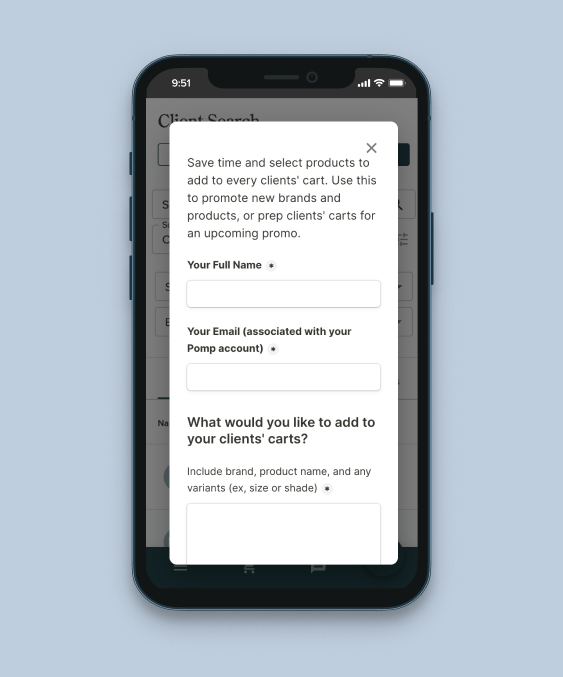
Fill Client Carts With “Add To All Carts”
Prep your clients’ carts for a sale or share your favorite new product with our new concierge feature!
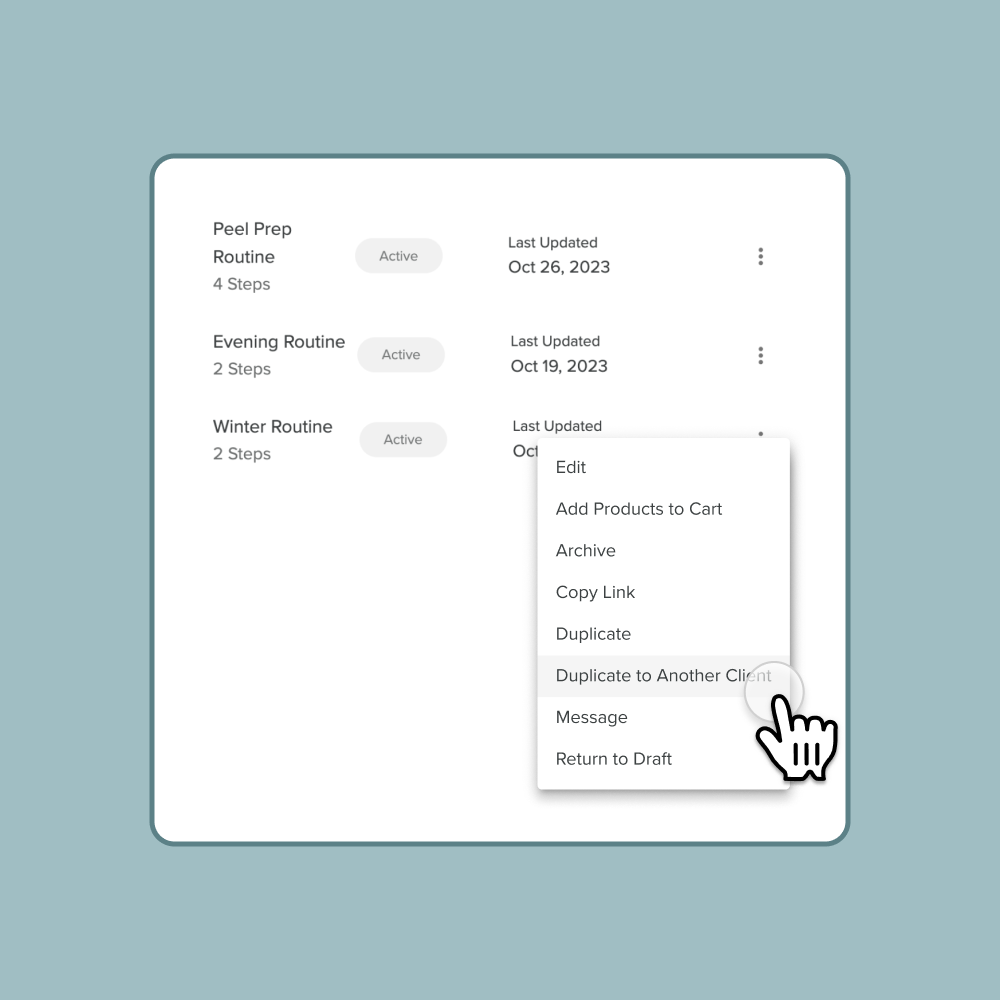
Save Time By Duplicating Routines
You can now duplicate a routine from one client to another, saving you time from building commonly recommended routines!
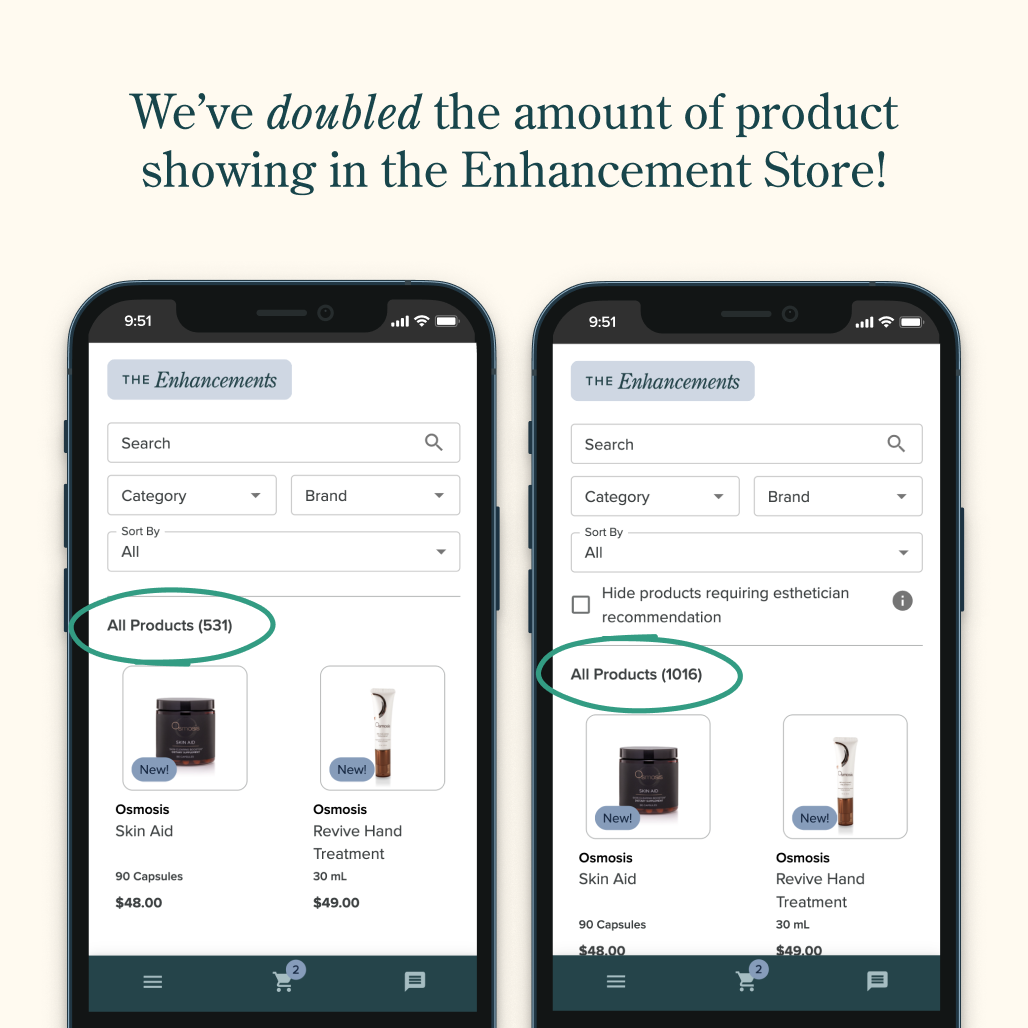
View More Products in the Enhancement Store
Clients can now view more brands and products in the Enhancement Store, including products that require esthetician recommendation.
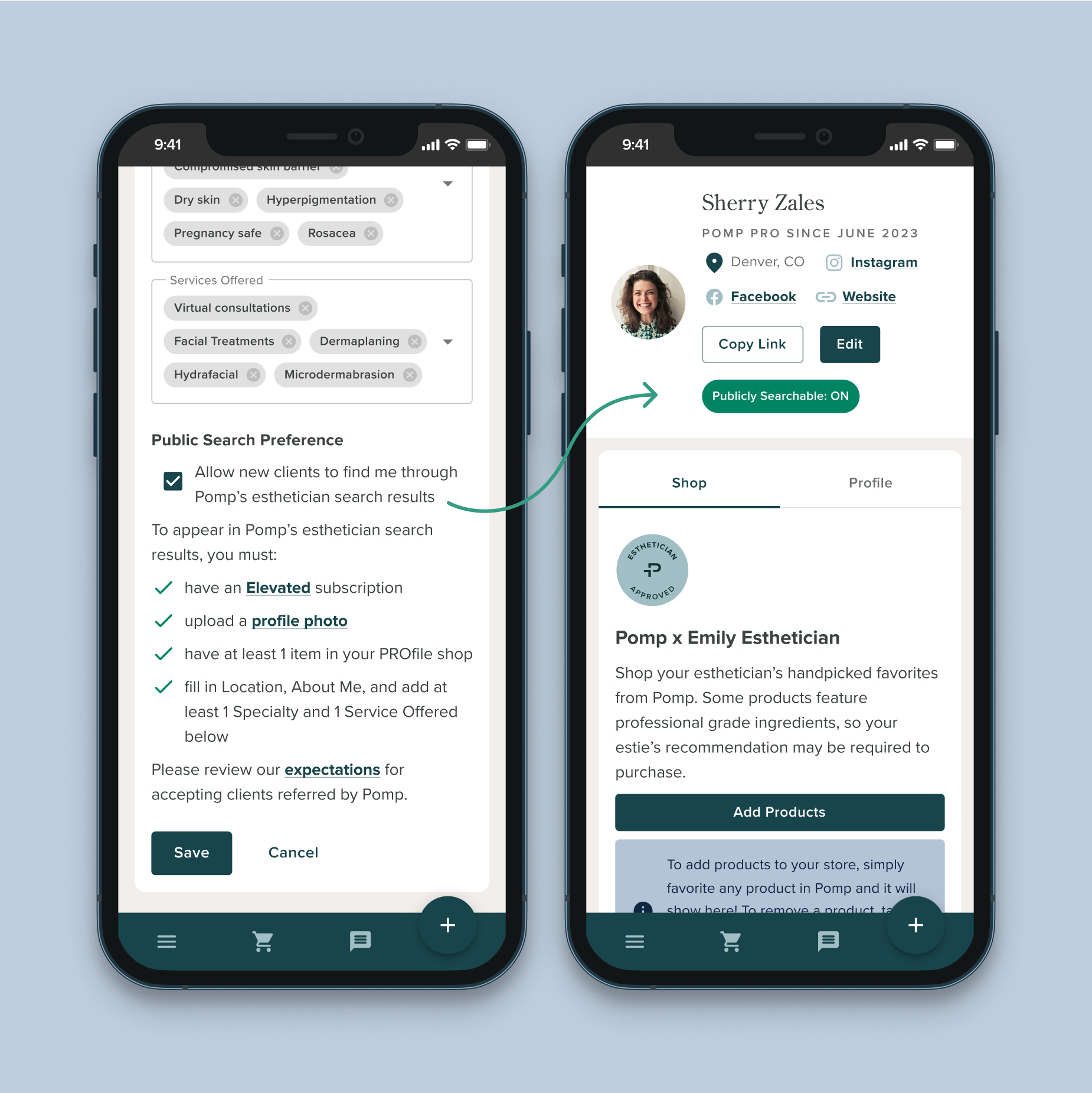
Maximize Your Reach With “Find an Estie”
Discover how to make the most of our newest “Find an Esthetician” feature, which allows clients to search for and select their perfect esthetician. For Elevated estheticians only.
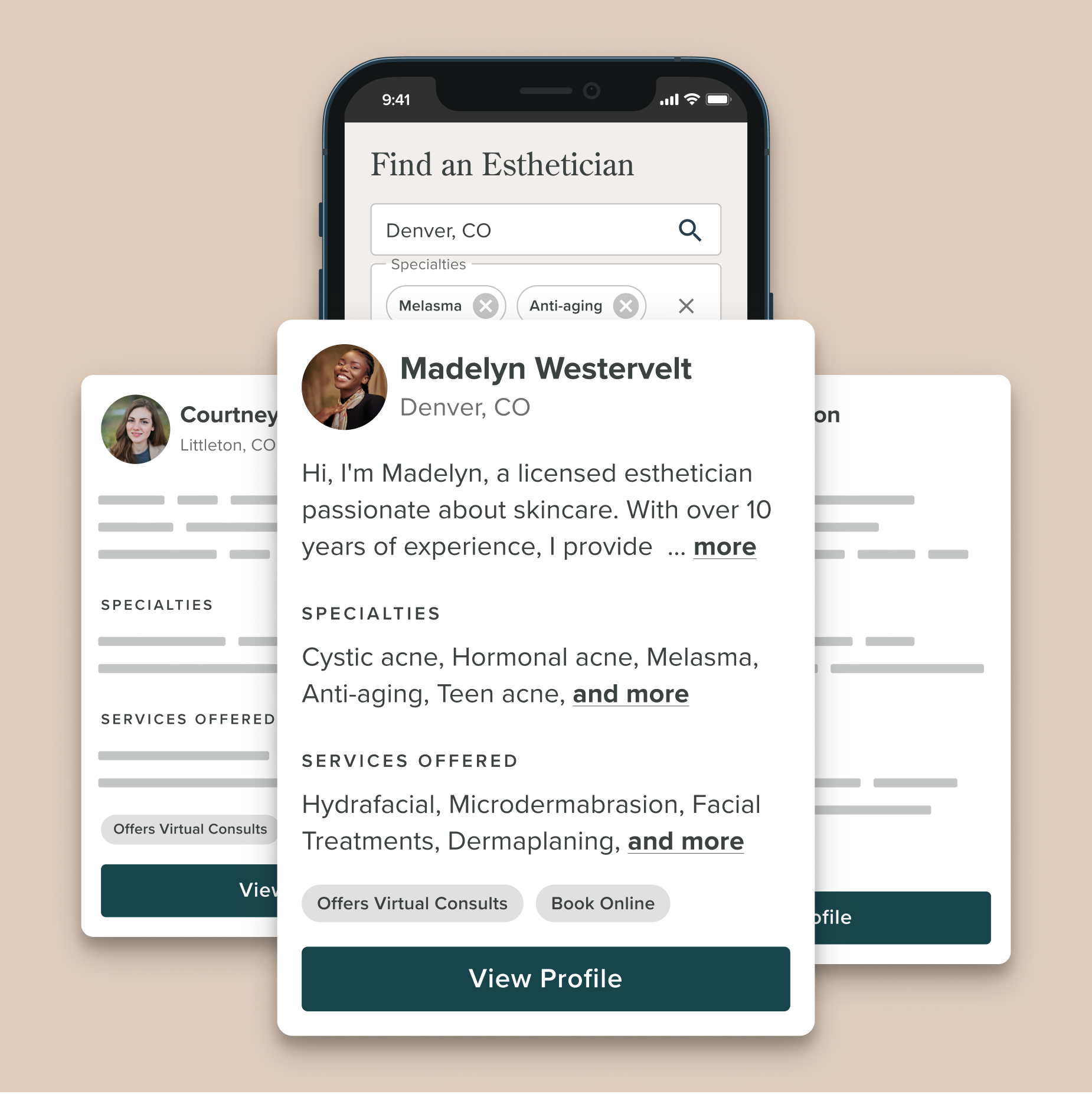
Get New Clients with “Find an Estie”
Pomp now allows new clients to search for an Esthetician based on location, specialties, services, and whether or not they do virtual consultations. For Elevated estheticians only.
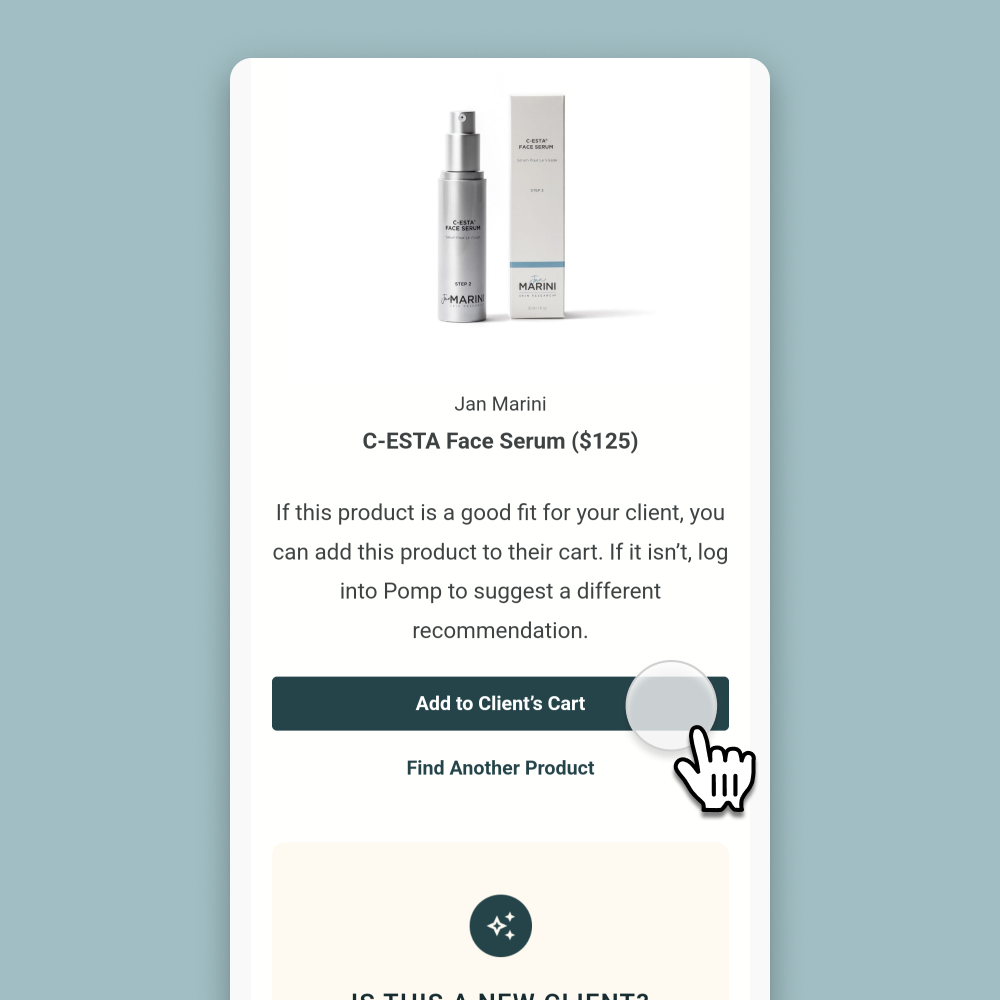
Introducing “Ask My Estie” Email Notifications
We’ve automated the “Ask My Estie” process so that whenever a client taps “Ask My Estie,” you will receive an email notification where you can quickly add it to their cart OR log into Pomp to find a better option!
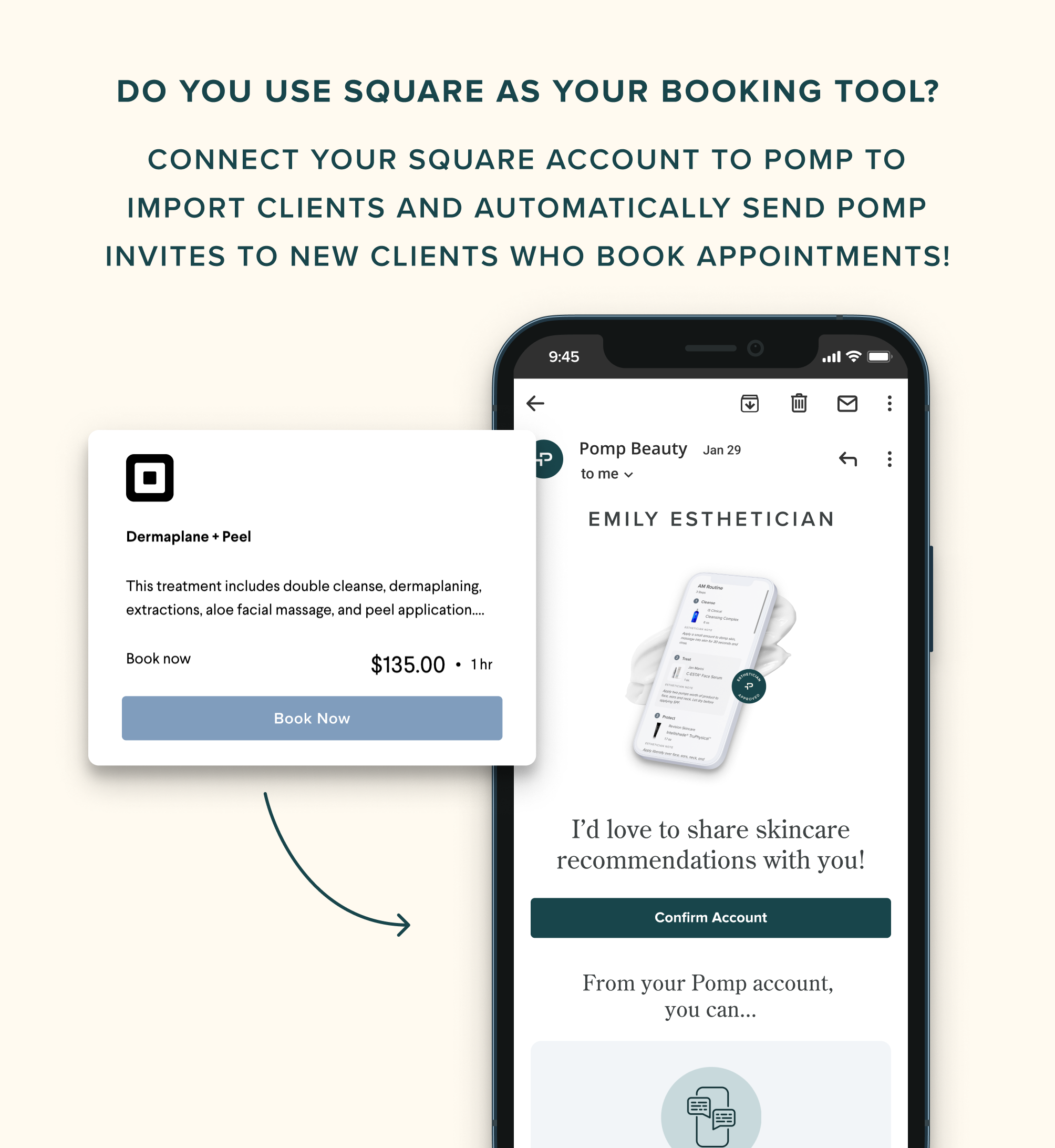
Automatically Add Clients with Square Integration
If you use Square as your booking tool, you can connect your Square account to Pomp in order to import clients and automatically send Pomp invites to new clients who book appointments!
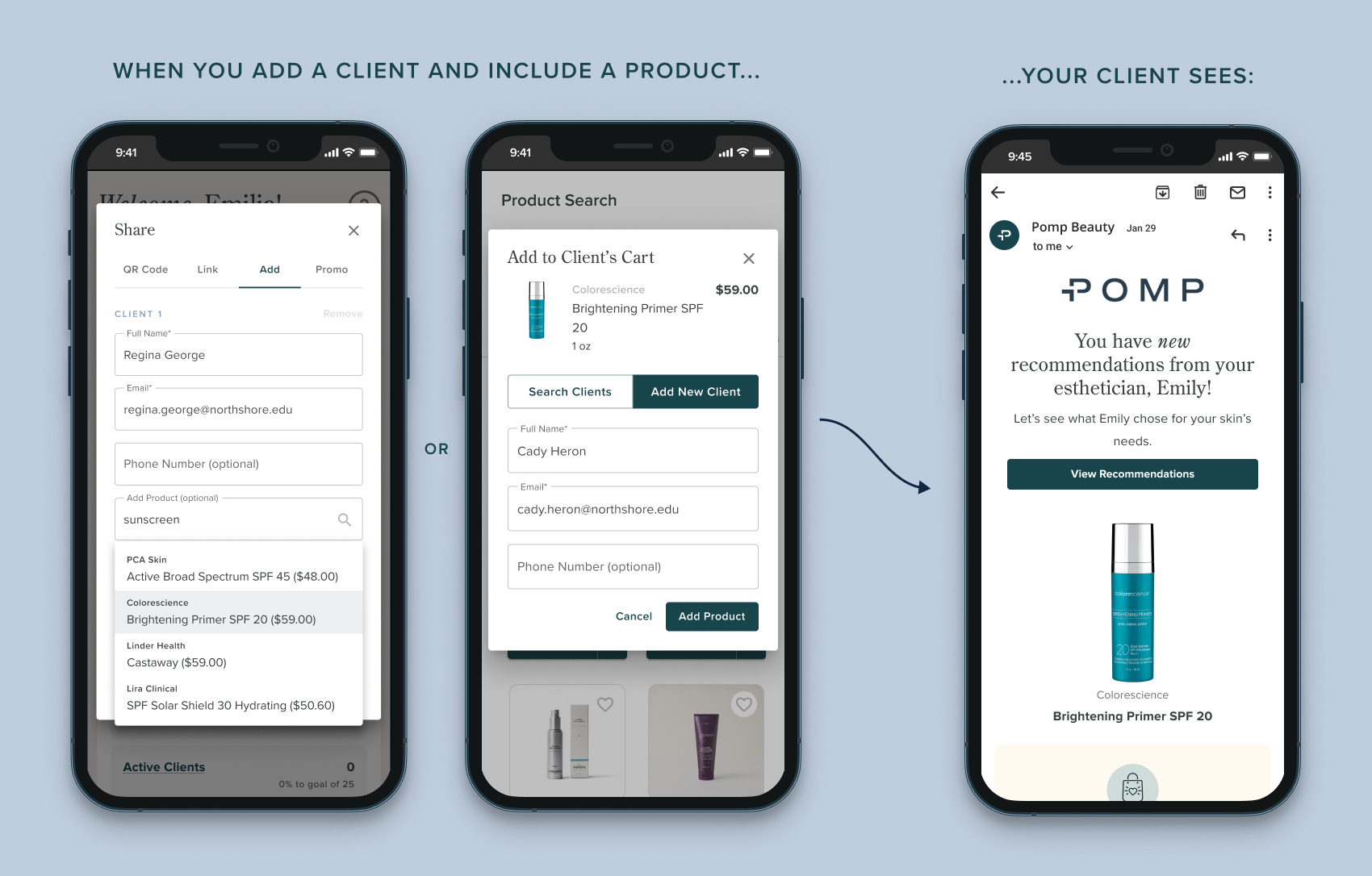
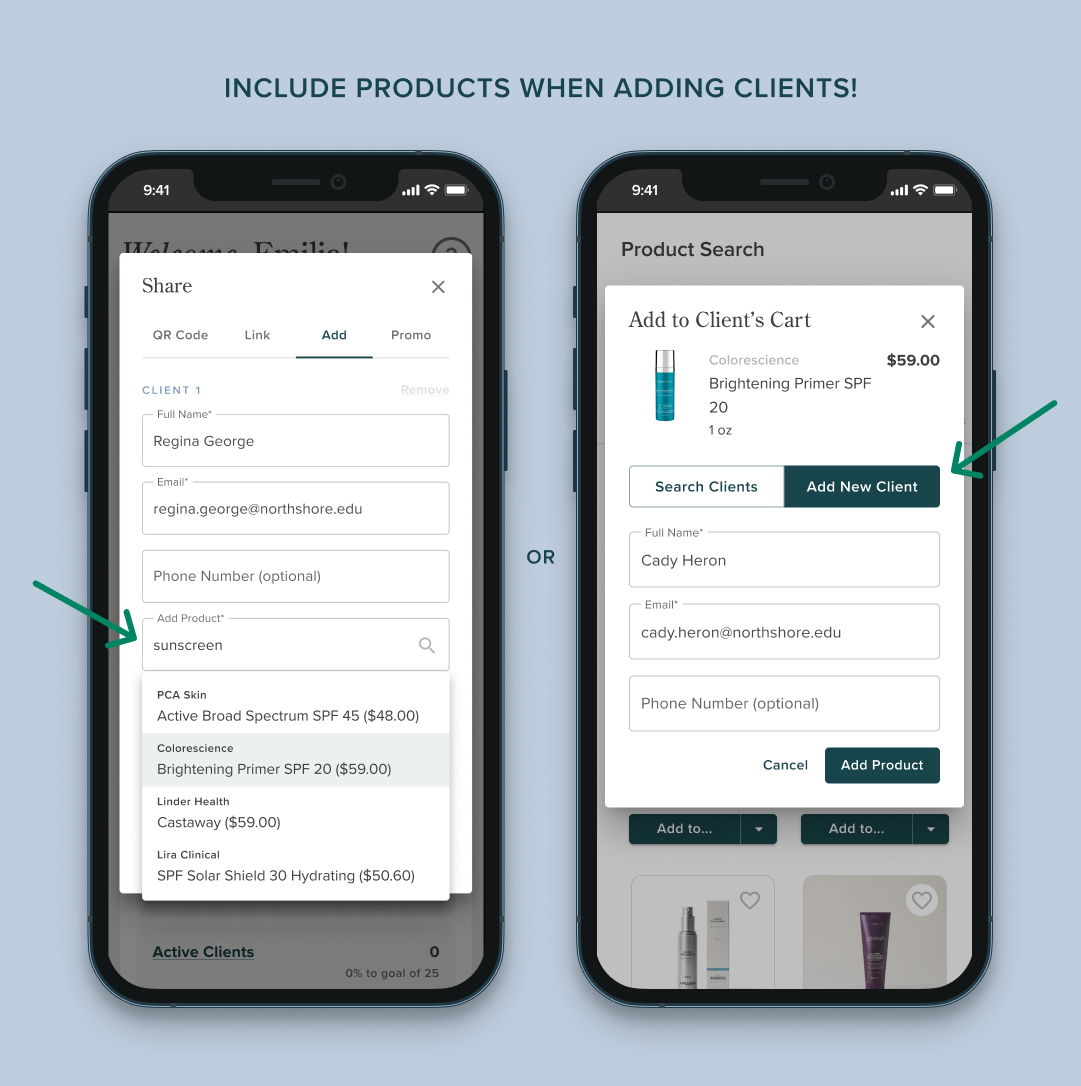
Include a Product When Adding Clients to Pomp
Our newest feature allows you to include products when adding clients to Pomp! Save time by selecting products to send to new clients so that when they create their Pomp account, those products will be waiting for them in their cart.